




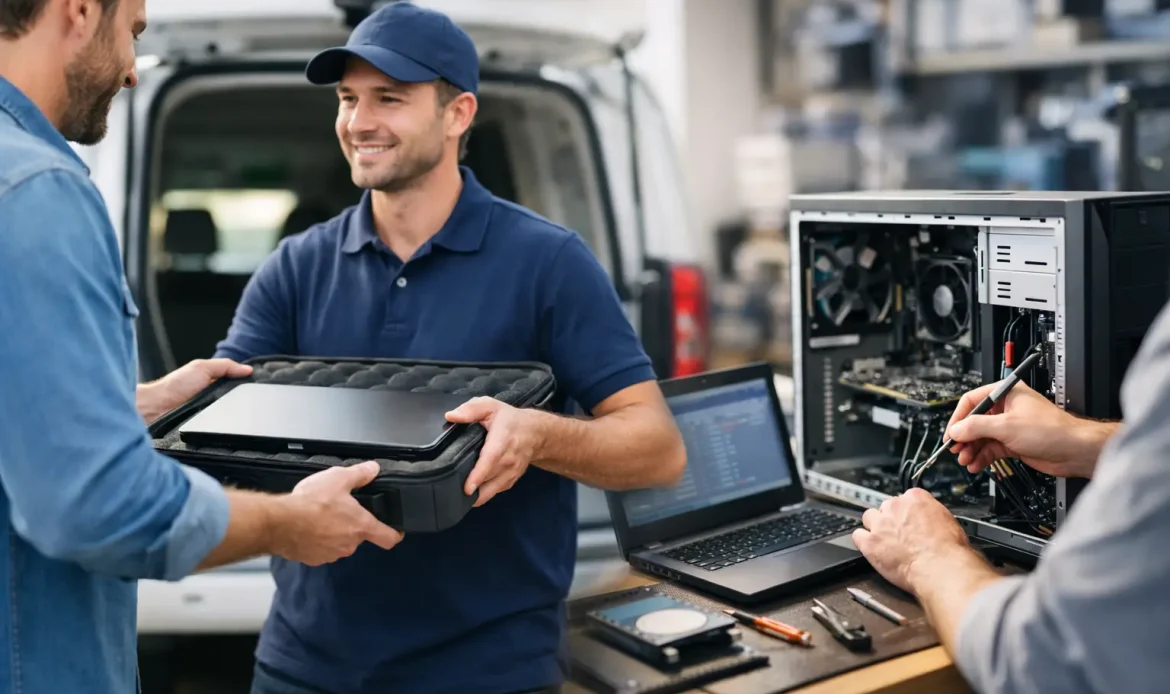
When your computer stops behaving, the last thing you want is to unplug cables, pack it into the car and lose half a day sitting around waiting. That is exactly why pickup and return computer repair appeals to so many home users and small businesses. It gives you a practical way to get a desktop or laptop fixed without adding more disruption to an already frustrating problem.
For plenty of people, convenience is only part of the story. A computer issue often arrives at the worst possible moment – when you are working from home, trying to print school documents, running a small business, or relying on email to keep things moving. In those situations, having someone collect the device, carry out the repair properly and return it ready to use can make far more sense than trying to squeeze in a shop visit.
What pickup and return computer repair actually means
Pickup and return computer repair is exactly what it sounds like. Instead of bringing your machine into a workshop yourself, the repair provider collects it from your home or workplace, diagnoses the problem, completes the required work, and then returns it to you.
That sounds simple, but the real value is in what it removes. You do not need to wrestle with a heavy desktop tower, disconnect monitors and peripherals in a hurry, or work out how to safely transport a device that may already have a hardware fault. If you are dealing with a slow laptop, a Windows startup failure, virus issues, damaged storage, email problems or a machine that keeps dropping off the network, collection and return can take a lot of stress out of the process.
It is also a good option when the job is better handled in a workshop than on the spot. Some repairs need more time, more testing or specialised tools. A proper bench setup is often the best place for hardware upgrades, deeper malware clean-up, Windows reinstalls, data recovery attempts and fault tracing that cannot be rushed.
When this service makes the most sense
Not every problem needs pickup and return. Sometimes remote support is enough, and sometimes on-site help is the quickest answer. If your internet is down because of a router setup issue, or your email has simply stopped syncing, there is a fair chance the problem can be sorted without taking the computer away.
But there are plenty of cases where pickup and return is the smarter choice. If the machine will not boot at all, keeps crashing, has a suspected hard drive fault, needs internal parts replaced, or requires a full rebuild of Windows, workshop repair is often more efficient. The same goes for systems with major virus or spyware problems, especially when the machine is too unstable to trust for day-to-day use.
For small businesses, there is another factor. If you have a secondary workstation or can work around one machine being off-site for a short time, pickup and return helps avoid the interruption of sending staff out to a retail counter. For households, it is often just easier. Parents, older users, and busy workers often prefer a local service that comes to them rather than adding another errand to the week.
The trade-off between convenience and urgency
Convenience does not always mean it is the fastest option for every situation. That depends on the fault and how urgently you need the machine back.
If the issue can be fixed remotely in half an hour, collecting the computer would obviously be unnecessary. If the problem needs several hours of testing, file backups, updates or part replacement, workshop handling may actually speed things up because the technician can work on it properly without the limitations of a kitchen table or office corner.
There is also the question of access. Some customers need the computer running again the same day. Others are more concerned with getting a thorough repair, a clean Windows setup, or recovering important files safely. A good repair service will tell you honestly which option suits the problem instead of pushing one approach for every job.
What a good pickup and return computer repair service should include
The collection itself is only one part of the service. What matters more is what happens before, during and after the repair.
First, there should be a clear conversation about the fault. That means listening to what the computer is doing, asking sensible questions and giving you a realistic idea of what the repair may involve. You should not be left guessing about likely costs, turnaround time or whether your data is at risk.
Second, the repair should be based on proper diagnosis rather than assumptions. A slow computer might need malware removal, but it could also be struggling because the storage drive is failing, startup programs are overloaded, Windows is damaged, or the hardware is simply outdated. Replacing the wrong part or doing a quick software tidy-up will not help much if the root cause is missed.
Third, you want transparency. If a device needs a Windows reinstall, extra memory, a solid-state drive upgrade or further recovery work, that should be explained in plain language. Honest advice matters, especially when the machine is older and the better choice may be to repair it only if the cost stacks up.
Finally, the return should not feel like the end of the conversation. A useful service includes making sure the machine is ready to use again, confirming the issue has been resolved and answering any practical questions you have about what changed.
Common repairs handled through pickup and return
This type of service suits a wide range of day-to-day computer problems. Slow performance is one of the most common. In many cases, a machine that feels painfully old can be improved with the right cleanup, update work or hardware upgrade.
Virus and spyware removal is another strong fit. If your computer is showing strange pop-ups, redirecting searches, running hot, or behaving unpredictably, it is often safer to have it assessed properly off-site. The same applies to systems affected by fake antivirus warnings or suspicious background activity.
Windows problems also come up often. Failed updates, endless restart loops, corrupted user profiles and login issues can take time to diagnose. Workshop repair gives that process the time it needs without you feeling like the meter is running while someone sits in your lounge room waiting for a progress bar to finish.
Hardware faults are a natural match as well. Failing drives, power issues, memory faults, overheating, broken laptop components and upgrade jobs usually benefit from bench testing. Even when the symptom seems obvious, proper testing matters because one failing component can look like another.
How to prepare your computer for collection
You do not need to do much, but a few simple steps help. If the machine still works well enough, back up any critical files you cannot afford to lose. Even when a repair goes smoothly, any work involving storage, malware removal or Windows repair carries some level of risk.
It also helps to write down the issue clearly. Note any error messages, when the problem started and whether it happens all the time or only in certain situations. That kind of detail can shorten diagnosis significantly.
If you use a desktop, ask whether accessories are needed. In some cases the tower alone is enough. In others, the technician may need the power supply cable, a charger, or another item relevant to the fault. Sending unnecessary gear creates clutter, but forgetting an essential cable can slow things down.
You should also mention if the machine contains business records, family photos, or other irreplaceable data. That changes how a good technician approaches the job.
Why local matters more than many people think
With computer repairs, local support is not just about distance. It is about accountability, communication and realistic service.
A local provider is easier to reach, easier to deal with and more likely to understand the kind of support local homes and small businesses actually need. You are not trying to explain your situation to a call centre or ship your computer off to an unknown depot. You are dealing with someone who can collect the device, assess it properly and give you straightforward advice.
That matters even more when the problem is urgent or personal. If your laptop holds family records, your work files or your bookkeeping, trust is a big part of the decision. For many people across southern Adelaide, a practical local service such as Southern Computer Services SA simply feels more reliable than a big-box repair counter.
Is pickup and return right for you?
If you want the quickest possible answer for a minor software issue, remote support or on-site help may be the better fit. If the machine needs time, testing, repair work or careful handling, pickup and return can be the easiest option by far.
The best choice usually comes down to three things – what the fault is, how urgently you need the computer back, and whether the repair is better done in a workshop environment. A trustworthy technician will not make that sound more complicated than it is.
When your computer is not doing its job, the fix should not create extra hassle. A sensible repair service takes the pressure off, explains things clearly and gets you back to normal with as little disruption as possible.

