




Data Backup and Migration service
Southern Computer Services SA: Data Backup and Migration Service
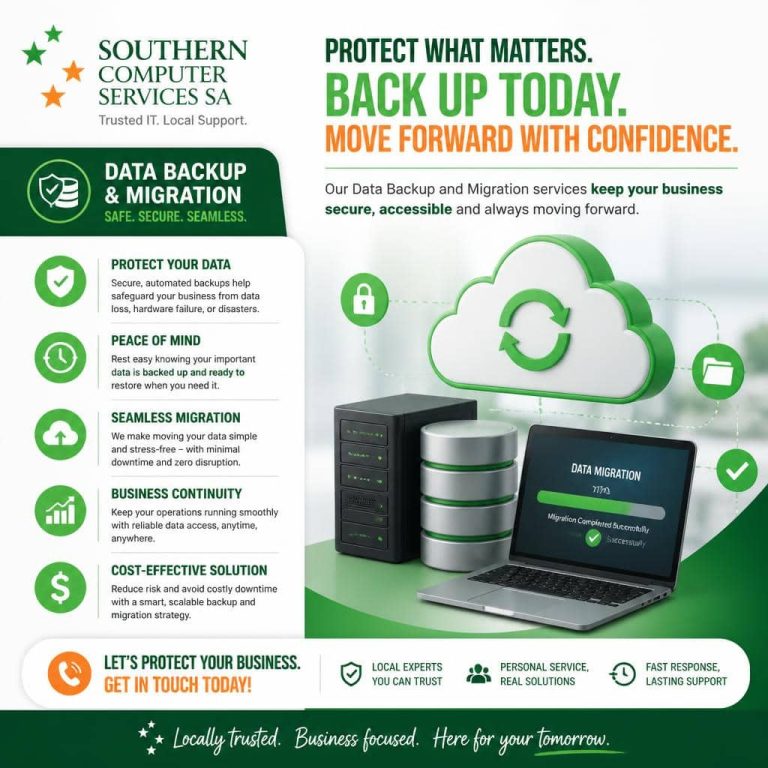
Move into your new computer with confidence. We offer a professional Data Backup and Migration service that securely transfers your files, settings, and more from your old device to your new one—starting from just $139. For added convenience, we include free pickup and return of your devices where required.
Why backup and migration matter
– Protect your memories and work: Ensure photos, documents, and projects aren’t left behind—or lost.
– Save time and frustration: Avoid the hassle of manual copying, missing folders, or broken shortcuts.
– Start seamlessly: Have your most important files, accounts, and preferences ready to go on day one.
What’s included
– Secure data transfer from your old computer to your new one
– Migration of common user folders (Documents, Pictures, Music, Videos, Desktop, Downloads)
– Transfer of key user data like browser bookmarks, email archives (where accessible), and basic app data when feasible
– Integrity checks to confirm your files have moved successfully
– Free pickup and return of devices in our service area where required
– Clear handover and post-migration walkthrough of where to find your data
What we can move
– User files and folders (all major formats)
– Photos and media libraries
– Email data (e.g., Outlook PST/OST exports, and other clients where supported)
– Browser bookmarks and profiles (Chrome, Edge, Firefox, when accessible)
– Common application data and settings (where compatible and permitted by the software)
– Cloud sync setup assistance (Microsoft 365/OneDrive, Google Drive, Dropbox, etc., using your credentials)
Operating systems we support
– Windows to Windows (most versions)
Note: Some settings and applications are platform-specific and cannot be moved directly.
How the data backup and migration service works
1) Quick assessment: We confirm your devices, operating systems, and what you want migrated.
2) Free pickup (where required): We collect your devices within our service area or accept drop-off at our location by arrangement.
3) Secure backup: We create a verified backup of your old device before any changes are made.
4) Migration: We transfer your chosen data to the new device and configure key profiles where applicable.
5) Verification: We confirm that data is accessible and intact on the new system.
6) Return and handover: We return your devices and walk you through where to find everything.
Security and privacy
– Encrypted handling: We use industry-standard encryption for portable backups when appropriate.
– Chain-of-custody: Your devices are logged and tracked throughout pickup, transfer, and return.
– Credential safety: We never store your passwords; you enter them directly where required.
– Consent-based access: For encrypted systems (e.g., BitLocker, FileVault), we’ll request your unlock keys or passwords strictly for migration purposes.
What to prepare
– Power adapters and any required dongles for both devices
– Admin passwords or unlock codes (for device sign-in and encrypted drives)
– Your cloud service logins (Microsoft, Google, Apple, etc.) if you’d like cloud sync set up
– License keys/installer files for software you plan to reinstall on the new system
Important notes and limitations
– Applications and licenses: Many programs must be reinstalled on the new machine. We’ll help migrate data and settings where possible, but software licenses often cannot be transferred automatically.
– Special systems: Line-of-business apps, proprietary databases, and virtual machines may require additional work or vendor coordination.
– Storage health: If the old device has a failing drive, we can attempt data recovery; this may incur extra effort beyond standard migration.
Optional add-ons
– Full system image backup to an external drive for long-term peace of mind
– Cloud backup setup and scheduling
– Email account reconfiguration and archive management
– Photo library de-duplication and organisation
– Old-device wipe and disposal preparation (data sanitisation)
Pricing and availability
– From $139: Final pricing depends on data size, device condition, encryption status, and complexity (e.g., email archives, multiple user profiles, cross-platform transfers).
– Free pickup and return of devices where required within our service area. We’ll confirm eligibility during booking.
– Clear, upfront quote: You’ll receive a transparent estimate before we begin.
Frequently asked questions
– Can you move everything exactly as it was? We can move your files and many settings. Some app configurations and all installed applications may need reinstalling on the new device.
– How long does it take? Time varies by data size and complexity. We’ll provide an estimate after the initial assessment.
– Can you move emails and contacts? Yes—most mail clients and services are supported. We’ll discuss the best approach for your setup.
– What if my old computer won’t start? We can often recover data directly from the drive. Additional recovery steps may be required.
– Do you handle photos from Photos or iCloud libraries? Yes, we can migrate Apple Photos libraries and advise on iCloud sync, subject to your account settings.
Get started
Ready to move into your new computer without the stress? Contact Southern Computer Services SA to book your Data Backup and Migration service. We’ll confirm your needs, provide a fixed quote, and arrange free pickup and return where required.

We are Accredited


© 2025 Southern Computer Services SA – Computer & Laptop Repair Specialists

