


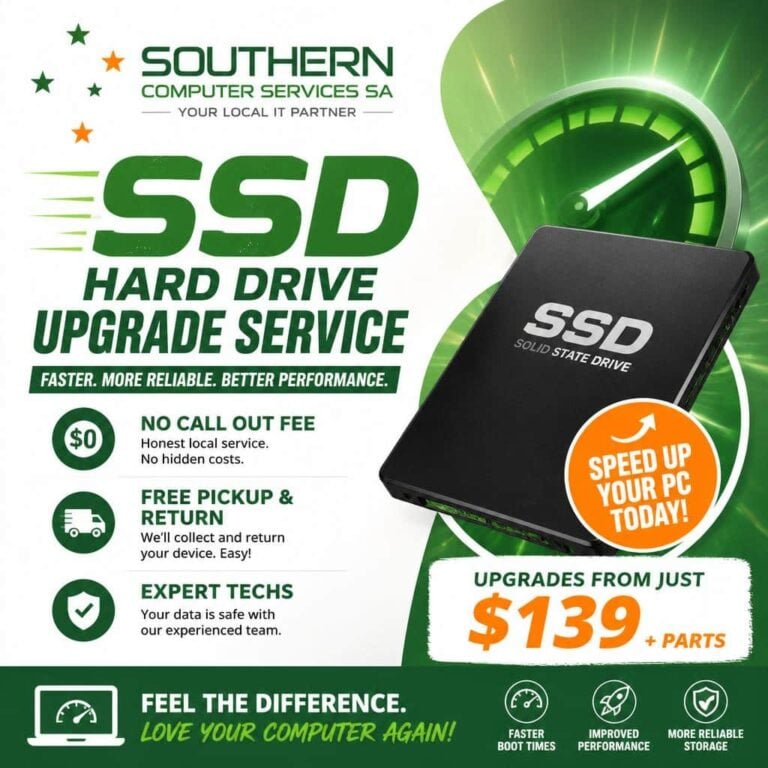
SSD Hard-Drive Upgrades • Blazing-Fast Speed • Rock-Solid Reliability
Why Swap Your Old Hard Disk Drive for a Modern Solid State Drive?
- Instant Boot-Ups – Go from minutes to seconds.
- App Launches in a Flash – Up to 10× faster read/write speeds.
- Maximised Battery Life – No spinning platters means less power draw.
- Whisper-Quiet & Cool – Zero moving parts = no noise and less heat.
- Superior Durability – SSDs resist drops and shocks that kill traditional drives.

Whether you’re editing 4K video, gaming, or just tired of the Windows “spinning-wheel-of-doom”, a solid state drive is the single most dramatic upgrade you can give any laptop or desktop PC.
What’s Included in Our SSD Hard-Drive Upgrade Service
- Free Performance & Health Check
We benchmark your current drive, test overall system health, and recommend the best SSD for your needs and budget (512 GB to 8 TB).
- Full Data Cloning or Fresh OS Install
- Bit-for-bit cloning keeps every file, setting, and application intact.
- Prefer a clean slate? We’ll install Windows 11 fully patched and optimised.
Hardware Installation
Certified technicians fit the SSD, update firmware, and secure loose cables for optimal airflow.
- System Optimization
We enable TRIM, adjust power settings, and update BIOS/EFI so your new drive performs at peak efficiency.
- Post-Upgrade Benchmarks & Demonstration
See the speed gains for yourself before you take the computer home (or before we ship it back).
- Recycling of Old Drive
Keep it as an external backup or let us recycle it securely and eco-responsibly free of charge.
Upgrade Packages & Pricing
| Package | Ideal For | SSD Size | Service Time | Price* |
| Quick-Start | Everyday browsing & Office | 250 GB | 2-3 hours | $179 |
| Power User | Gamers & Creators | 500 GB – 1 TB | Same Day | $239 |
| Pro Studio | 4K Video, CAD, VMs | 2 TB – 4 TB | 24 hours | From $389 |
*Prices include SSD hardware, installation, cloning, optimisation, and 1-year parts warranty.
The Upgrade Process—Step by Step
- Contact Us
Pick a time or use our free pickup service.
- Drop-Off / We Collect / On-Site
Choose the method that’s most convenient.
- We Upgrade & Test
You’ll get real-time status updates via SMS or email.
- Pick-Up / Return Shipping
System ready, fully sanitised, and faster than ever.

Why Choose Us?
- Certified Technicians – CompTIA A+ certified with over 25 years of experience.
- No-Fix, No-Fee Promise – If we can’t turbocharge your PC, you don’t pay.
- Lifetime Support – Firmware updates, optimisation tips, and priority diagnostics for as long as you own the drive.
- 5-Star Rated – Verified Google & TrustPilot reviews.
Frequently Asked Questions
Will I lose my files?
Unfortunately no-one can 100% guarantee no-loss of data since data is simply ‘bits and bytes’ on a hard drive, although in our case it rarely happens. We do however strongly recommend you perform a backup of your data before we start the task of upgrading your machine. Alternatively, we may be able to take a backup for you for a small extra fee of $30. We can also perform a block-level clone so every file, app, and license key stays intact. If you’d prefer a fresh start, we can back up your data separately.
How long does the upgrade take?
Depending on the specific task, an upgrade can be done in some cases the same day. The more common time-frame is 24-48 hours.
Is my computer too old?
If it was built after 2008 and uses SATA or PCIe storage, it can benefit. Contact us for a free compatibility check.
Do you offer NVMe upgrades?
Absolutely. We install the latest PCIe Gen 4 M.2 NVMe SSDs for blazing sequential speeds up to 7,400 MB/s.
What about warranty?
All SSDs include a minimum 1-year manufacturer’s warranty.

What does my Solid State Drive upgrade include?
- Expert help & guidance on your selection of SSD.
- Top brand choices inc Crucial, Samsung, Corsair & more.
- Data backup of old hard drive.
- Professional installation of your new super-fast SSD.
- Transfer of old data to your new drive.
- Format and Windows reinstall plus updates.
- Reinstallation of 3rd party apps as required.
- Cloning of old hard drive (if preferred).
- 12-month parts warranty.
- 3-month labour warranty.
Yes, upgrading to a Solid State Drive can significantly improve your computer’s speed, especially in boot times, file transfers, and application load times. SSDs are much faster than traditional HDDs because they have no moving parts and offer quicker data access.
The best SSD depends on your use case and budget. Popular reliable brands include Samsung, Crucial, Western Digital, and Kingston. If you need high performance for gaming or professional work, consider NVMe SSDs, which are faster than SATA SSDs. It's also important to check your computer's compatibility (e.g., SATA vs. NVMe slots).
This depends on how much data you plan to store. For basic use, 250GB to 500GB may suffice. If you handle large files, games, or extensive media libraries, consider 1TB or more. Balance your needs with your budget, but remember that larger capacities offer more space and future-proofing.
The data transfer process can be straightforward if done correctly. Typically, you can clone your existing drive to the new SSD, which preserves your data and operating system. A professional can assist with this to minimize risks. Always back up your important data before starting the upgrade.
The physical installation usually takes about 30 minutes to an hour. Setting up the SSD, including cloning your existing drive and configuring the system, can take additional time depending on the method used. Overall, expect a few hours, but this can vary. Downtime is usually minimal if done by a professional, and your computer can often be ready for use the same day.
Absolutely! Just provide us with your current PC specifications and your upgrade requirements
Got the Need for Speed?
Contact Us by clicking here or call us direct on 0407396188 now. The future is solid-state—let’s plug you into it today!
We are Accredited
Still Have Questions?
© 2025 Southern Computer Services SA – Computer & Laptop Repair Specialists

