




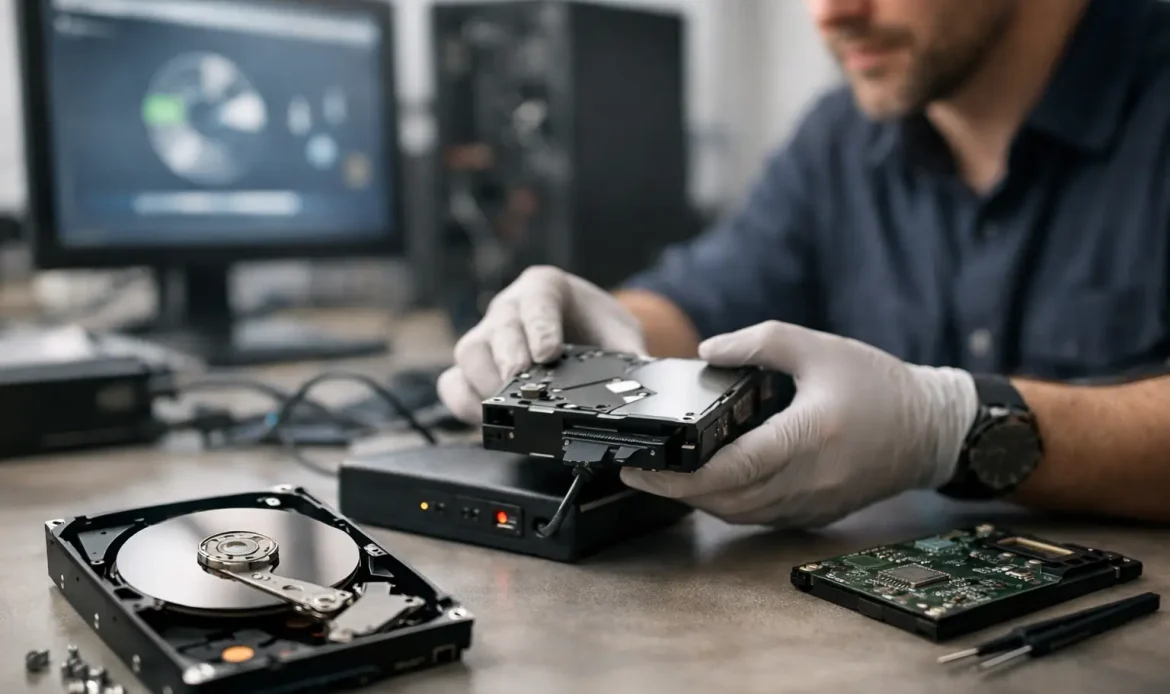
That sinking feeling usually starts with a click, a blue screen, or a folder that suddenly opens empty. When files disappear from a work PC or family computer, a reliable data recovery service for PC can make the difference between a stressful setback and getting important data back before the damage gets worse.
Most people try a few quick fixes first. They restart the computer, unplug an external drive, run a scan, or search for a missing folder. Sometimes that works. Quite often, though, the next step causes more trouble, especially if the drive is failing or the data has been overwritten.
When a data recovery service for PC is the right call
Not every file loss situation needs specialist recovery, but some definitely do. If you have accidentally deleted files and emptied the Recycle Bin, there may still be a good chance of recovery. If Windows no longer boots, the drive is making unusual noises, or the PC keeps freezing when you try to access files, the situation becomes more urgent.
There is a big difference between logical data loss and physical failure. Logical issues include accidental deletion, corrupted file systems, malware damage, failed updates, and partitions that have disappeared. Physical issues involve failing hard drives, damaged solid-state drives, power problems, or computers that have been dropped, overheated, or exposed to liquid. In both cases, the wrong move can reduce the chance of a successful recovery.
For home users, the lost files are often family photos, study documents, tax records, emails, and years of personal files. For a small business, the impact can be more immediate – accounting records, customer documents, quotes, job files, spreadsheets, and shared folders that staff need to keep working.
What to do before you make it worse
If you think a drive may be failing, stop using it as soon as possible. That sounds simple, but it matters more than most people realise. Every new file saved, every Windows update, and every repair tool run on the wrong drive can overwrite data that might otherwise be recoverable.
If the PC still turns on, avoid installing recovery software onto the same drive that has lost data. Avoid reformatting it. Avoid repeatedly rebooting a machine that is clicking, grinding, or disappearing from the system altogether. Those symptoms usually point to hardware trouble, and hardware trouble does not improve with persistence.
If the computer is critical for work, it is worth stepping back before trying internet fixes. Online advice often assumes a best-case scenario. Real computers do not always cooperate. A recovery approach that is fine for one machine can be the worst option for another.
What a professional service actually does
A proper recovery service starts by working out what has failed and whether the data is likely to be intact. That diagnosis matters because the fix for a deleted folder is very different from the fix for a failing drive controller or a corrupted Windows installation.
In straightforward cases, recovery may involve scanning the drive with the right tools, rebuilding damaged file structures, or extracting files from a system that no longer boots. In more complex cases, the technician may need to access the storage device outside the normal Windows environment, stabilise the drive long enough to copy data, or recover files sector by sector.
This is where experience counts. A lot of recovery work is not about pressing a magic button. It is about recognising warning signs, choosing the least risky method, and knowing when to stop before extra damage is done.
For local customers, that practical hands-on approach is often more useful than sending a machine into a large anonymous workflow. If your desktop contains years of records or your laptop holds business files you need this week, clear communication and realistic advice matter just as much as the technical work itself.
The main factors that affect recovery success
People often ask whether lost data can definitely be recovered. The honest answer is that it depends.
The first factor is the type of failure. Deleted files on a healthy drive are usually more recoverable than files on a drive with serious physical damage. The second is how long the problem has been going on. A PC that kept running for days after the loss may have overwritten data. The third is the type of storage involved. Traditional hard drives and solid-state drives fail differently, and SSD behaviour can make some deleted data harder to recover once certain system processes have occurred.
Malware and ransomware also change the picture. If files are encrypted, corrupted, or partially removed, recovery may be limited unless usable backups exist. Power surges and sudden shutdowns can also damage file systems in ways that look simple at first but turn out to be more serious.
That is why good recovery services avoid promises they cannot keep. A trustworthy technician should explain the likely outcome, the risks involved, and whether recovery is worth pursuing before extra time and cost build up.
Signs your PC needs urgent attention
Some symptoms should move the job to the top of your list. Repeated clicking from a hard drive is a warning sign. So is a BIOS message saying no boot device is found, or a system that takes far longer than usual to start and then locks up when files are opened. If folders appear with strange names, file sizes look wrong, or the drive vanishes and reappears, do not treat that as a minor glitch.
For small businesses, even a single workstation with data access problems can quickly affect quotes, invoicing, scheduling, and customer communication. For families, it is often the one PC with old photo archives and documents that were never copied anywhere else. In both situations, speed matters, but rushing into the wrong fix can cost more time overall.
Recovery versus backup restoration
It is easy to confuse data recovery with restoring from backup, but they are not the same thing. Backup restoration is the better outcome when a recent copy of your files already exists. It is usually faster, cheaper, and far less stressful. Data recovery is what you rely on when there is no backup, the backup has failed, or the missing files were newer than the last saved copy.
A good technician will usually ask about backups early, not to avoid the job, but to find the safest path. If the data can be restored from an external drive, cloud service, or office backup routine, that may be the smartest option. If not, direct recovery becomes the next step.
Choosing a local PC data recovery service
When you are comparing providers, look for clear communication rather than big claims. You want someone who can explain what has likely happened, what they will check first, and what the practical options are. Transparent pricing helps too, especially when you are already dealing with lost work or personal files.
Convenience can matter more than people expect. If your computer will not boot or the drive is unstable, mobile support, pickup options, or a local workshop can save time and reduce the risk of transporting equipment unnecessarily. For customers in southern Adelaide, having access to local help means you can often get answers faster and speak to someone who understands the urgency without turning it into a sales pitch.
Southern Computer Services SA takes that sort of straightforward approach – practical advice, honest assessment, and help that is focused on getting your files and system back in order where possible.
After recovery, the real job is prevention
Once files are recovered, most people never want to go through the same panic again. Fair enough. The best next step is setting up a simple backup routine that matches how you actually use your PC. For some people, that means an external drive plus a cloud backup. For others, especially small businesses, it may mean a more structured plan with scheduled backups and checks to make sure they are working.
It is also worth looking at why the loss happened in the first place. If the drive is ageing, replacing it may be smarter than trusting it again. If malware caused the problem, the system may need cleaning and security checks. If the issue started after a failed update or hardware fault, that underlying cause needs attention too.
A good data recovery job is not only about retrieving files. It is about helping you avoid becoming a repeat customer for the same reason.
If your PC has lost important data, the safest move is usually the simplest one – stop using it, avoid guesswork, and get clear advice before a bad situation turns into a permanent one.

