




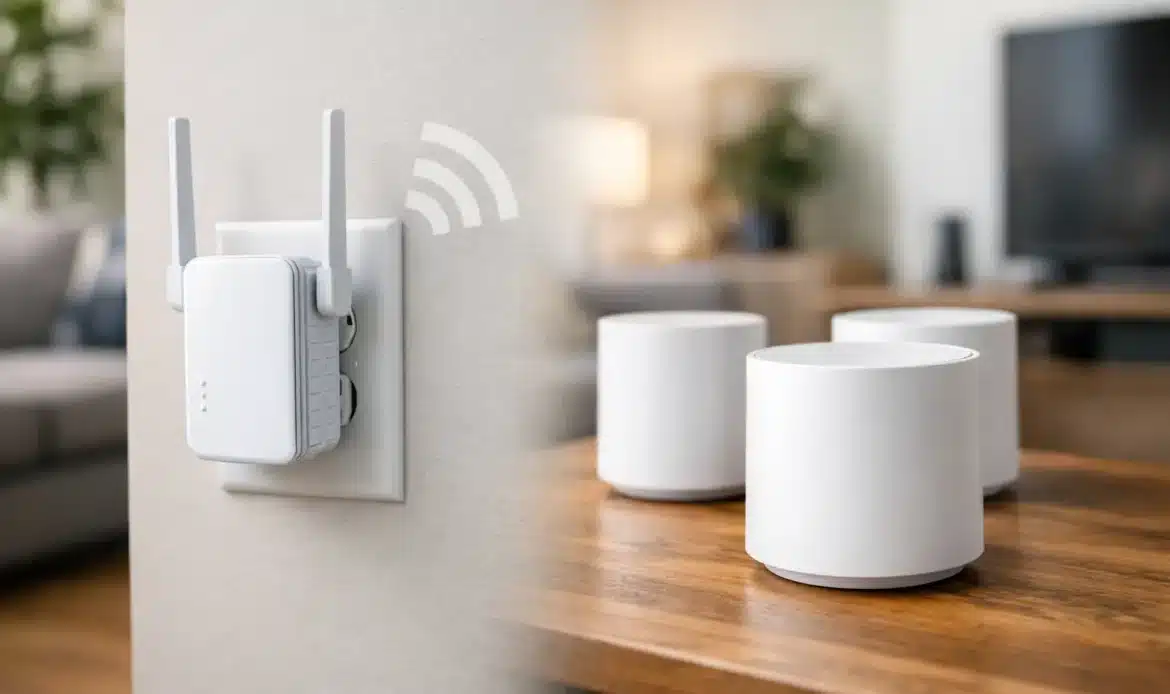
A video call that freezes in the back bedroom, a smart TV that buffers at night, or a laptop that drops out on the patio usually points to a Wi-Fi coverage problem, not necessarily a slow internet plan. When comparing Wi-Fi extender vs mesh Wi-Fi, the right choice comes down to your home layout, where the weak spots are, how many devices are connected and how much reliability matters.
An extender can be a sensible, low-cost fix for one troublesome room. A mesh system is usually the better answer for larger homes, multiple dead zones or small businesses where people need to move around without losing their connection. Neither option can make a poor NBN connection faster, but both can help your existing connection reach the places where you actually use it.
Wi-Fi extender vs mesh Wi-Fi: the basic difference
A Wi-Fi extender, sometimes called a range extender or repeater, receives the signal from your existing modem-router and broadcasts it again. Think of it as a halfway point between your router and the room with poor coverage. It is generally a single, inexpensive device that plugs into a power point or connects by cable.
A mesh Wi-Fi system uses two or more matching units, often called nodes. One connects to your NBN modem or existing internet service, while the others are placed around the home or office. Together, they create one larger Wi-Fi network designed to provide coverage across a wider area.
The practical difference is how your devices behave as you move around. An extender may create a separate network name, such as “HomeWiFi_EXT”, and your phone or laptop may hang onto the weaker original signal longer than it should. Mesh systems normally use one network name and are designed to move devices between nodes more smoothly.
That does not mean every mesh system is automatically perfect, or that every extender is poor. Placement, the quality of the equipment and the construction of the building still make a major difference.
When a Wi-Fi extender is the sensible option
An extender is often a good fit when the problem is limited and your expectations are realistic. For example, you may have reliable Wi-Fi through most of a single-storey home but poor reception in one study, guest room or garage. If the extender can be placed where it still receives a strong signal from the router, it can improve coverage without replacing everything.
It is also worth considering if you only need basic internet access in the weak area. Browsing, checking email, using a printer and occasional streaming may work well enough through a properly positioned extender. It can be an affordable first step for a rental property or a home where the Wi-Fi issue is only occasional.
The catch is that an extender cannot repeat a signal it does not receive properly. Plugging it into a power point in the dead zone is one of the most common mistakes. By that point, the extender has little useful signal to work with, so it simply broadcasts a weak connection further.
A better position is usually somewhere between the router and the problem area, where the original Wi-Fi is still strong. That may be a hallway, a nearby bedroom or an open living area. It can take a little trial and error, particularly in homes with double brick walls, concrete floors, foil insulation or metal framing.
Extenders can also reduce speed because many models use the same wireless connection to communicate with both the router and your devices. This is not always noticeable for light use, but it can show up during 4K streaming, gaming, large file transfers or several people working online at once.
When mesh Wi-Fi is worth the extra cost
Mesh Wi-Fi is usually the stronger long-term option when your coverage issues are spread across the property. It suits larger single-storey homes, two-storey homes, long layouts, homes with thick internal walls and properties where the router has to sit at one end of the building.
It is also a practical choice for households with many connected devices. Modern homes often have several laptops, TVs, tablets, printers, security cameras, smart speakers and appliances all competing for Wi-Fi. A decent mesh system manages that traffic more effectively than an older router with one extender added as an afterthought.
For a small business, reliability is often the deciding factor. If staff move between offices, a reception area, workshop or meeting space, a mesh system can provide more consistent coverage under one network name. That means fewer dropouts during cloud backups, video meetings, EFTPOS use or access to shared files.
Mesh nodes still need sensible placement. They should not be hidden in cupboards, placed on the floor behind a television, or installed at the far end of a building with multiple walls between them. Each node needs a good connection back to the main unit or another node.
Where possible, a wired connection between mesh nodes is even better. This is called wired backhaul. If your home or office has network cabling, or cabling can be installed, wired backhaul can improve speed and stability because the nodes are not using Wi-Fi to communicate with each other. It is particularly useful for a detached office, a gaming room or a business area with high network use.
Cost, speed and convenience compared
The upfront cost is the clearest difference. An extender is normally cheaper because you are buying one device to deal with one coverage issue. A mesh system costs more because it includes multiple units and is intended to replace or take over the Wi-Fi role of your existing router.
However, the cheapest option is not always the best value. Buying several extenders over time can lead to a confusing mix of network names, inconsistent speeds and more devices to troubleshoot. In a home with widespread weak coverage, installing a suitable mesh system once can be less frustrating than repeatedly trying to patch the problem.
Speed depends on more than the Wi-Fi equipment. Your NBN plan sets the maximum internet speed coming into the property. If your plan delivers 50 Mbps, a new mesh system will not turn it into a 250 Mbps service. What it can do is help you receive closer to your available speed in rooms that previously had poor reception.
The age of your router also matters. An older router may struggle with a busy household even if the internet connection itself is fine. Newer Wi-Fi equipment can offer better handling of multiple devices, but it needs to be configured properly and matched to the rest of the network.
Convenience is another point in favour of mesh. Most systems are managed through an app and provide one network name across the home. Extenders can be straightforward too, but their setup varies widely and some require devices to switch networks manually or reconnect when moving between rooms.
Check the problem before buying new equipment
Before choosing between an extender and mesh Wi-Fi, check whether Wi-Fi is actually the issue. Run a speed test while standing near the router, then run another in the room where the connection is poor. If speeds are slow everywhere, the cause may be your internet service, modem-router, NBN equipment or a fault with the provider rather than coverage.
Also check the router’s location. A router placed inside a cupboard, behind a television, near a metal cabinet or down low on the floor will often perform poorly. Moving it to a more open, central and elevated spot can make a noticeable difference. This simple change is sometimes all that is needed.
If your connection drops out at particular times, consider interference and congestion. Neighbours’ networks, wireless cameras, older devices and busy evening usage can all affect performance. A technician can assess the wireless channels, router settings and physical layout before recommending equipment you may not need.
Choosing the right setup for your property
Choose an extender if you have one modest dead zone, a good signal partway to that area and a tight budget. It is a practical solution when you need coverage improvement rather than maximum speed.
Choose mesh Wi-Fi if coverage is poor in several rooms, the home is large or split over levels, devices regularly disconnect as you move around, or several people rely on the network for work, school and streaming. It costs more upfront, but it is generally easier to live with once it is set up correctly.
For some properties, neither wireless option is the whole answer. A desktop PC, smart TV, security system or office workstation that needs dependable performance may be better connected by an Ethernet cable. Wired connections avoid many of the limitations that come with distance and interference.
If you are unsure what is causing the issue, it is worth having the existing network checked before spending money on hardware. Southern Computer Services SA can assess Wi-Fi coverage in southern Adelaide homes and small businesses, help position equipment correctly and provide straightforward advice on whether an extender, mesh system or wired connection makes the most sense. The best Wi-Fi setup is not the most expensive one – it is the one that gives you a dependable connection where you need it.

