

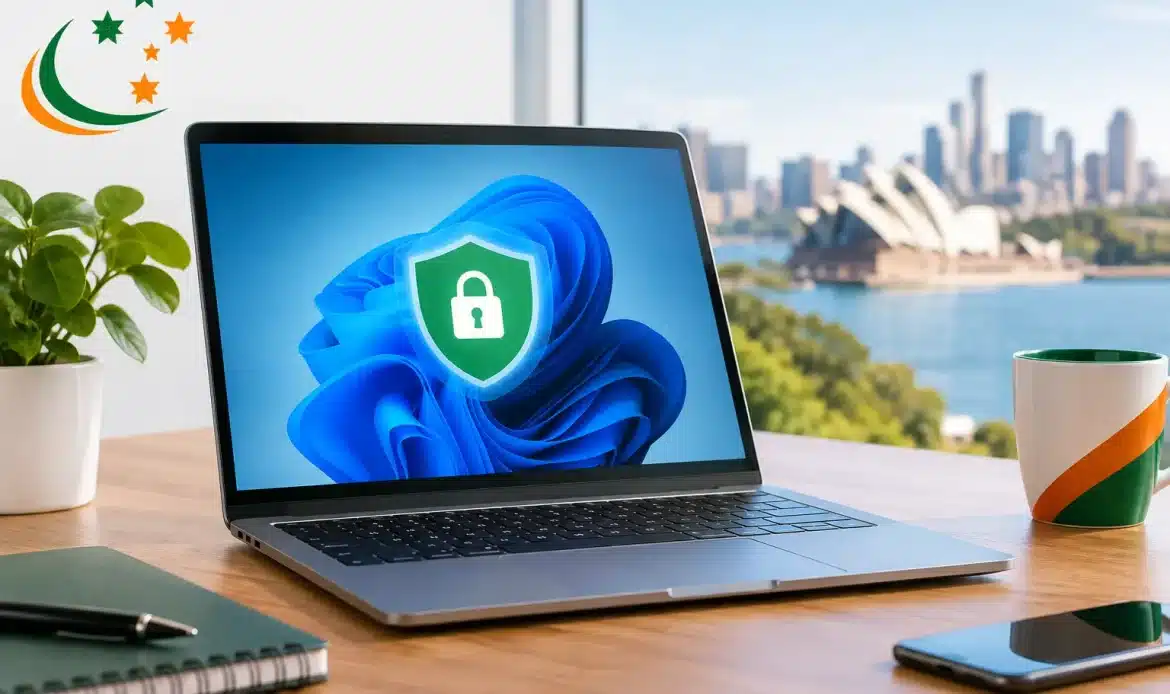
A Windows 11 computer can look perfectly normal while a scam, malicious download or unwanted program is quietly causing trouble in the background. That is why choosing from the best antivirus tools for Windows 11 is not simply about buying the most expensive subscription. It is about finding protection that suits how you use your computer, without slowing it down or filling your screen with alerts you do not need.
For most home users and small businesses, the right choice comes down to three things: dependable threat detection, sensible extra features and an interface that is easy to understand when something needs attention. The good news is that Windows 11 already has a capable built-in starting point. The better question is whether that is enough for your household or business.
What Windows 11 Already Includes
Windows 11 comes with Microsoft Defender Antivirus, built into Windows Security. It provides real-time protection, checks downloaded files and programs, includes firewall controls, and works with other Windows security features such as SmartScreen warnings for suspicious websites and apps.
For a careful home user who keeps Windows updated, uses strong passwords and avoids unexpected attachments, Microsoft Defender can be sufficient. It is included at no extra cost, generally light on system resources and far better than leaving a computer unprotected.
However, built-in protection is not a complete substitute for good habits or regular backups. It can also be less convenient for people who want a clearer security dashboard, more detailed web protection, password management, identity monitoring or support when they are unsure what an alert means. Small businesses may also need extra controls where several PCs, staff accounts and customer information are involved.
Best Antivirus Tools for Windows 11: Our Practical Picks
There is no single antivirus product that suits every person. The best option depends on whether you want simple protection, extra privacy features, coverage for several computers, or more assistance managing security across a small office.
Microsoft Defender: best for basic, no-cost protection
Microsoft Defender is the sensible first choice for many Windows 11 users. It is already installed, updates automatically through Windows Update and does not require another annual bill. For a lightly used family computer where everyone is cautious online, it offers a straightforward baseline.
The trade-off is that it is fairly hands-off. If someone in the household regularly clicks advertising links, downloads free software, receives lots of unexpected emails or uses online banking, a paid product may offer more layers of protection and clearer warnings. Defender also will not repair a computer that has already become badly infected or tidy up a system affected by persistent pop-ups and unwanted programs.
Bitdefender: best for strong all-round protection
Bitdefender is often a good fit for people who want capable protection without becoming a security expert. Its Windows packages typically combine antivirus scanning, web protection and tools designed to flag suspicious behaviour, rather than relying only on a known-virus list.
It is particularly worth considering for homes with multiple Windows PCs. The interface is generally clear, and it can be configured to run quietly in the background. That said, check which features are included in the plan you are comparing. Higher-tier packages can add extras that sound useful but may not be necessary for every household.
ESET: best for people who value a lighter touch
ESET has long been popular with experienced Windows users because it is known for being relatively light on system performance while still providing detailed security controls. This can make it a sensible option for an older laptop, a business workstation or anyone who dislikes security software taking over the screen.
Its settings can be more detailed than some competitors, which is helpful if you know what you are looking at. For a less confident user, though, that flexibility can feel a little technical. It is a good product, but not always the simplest choice for someone who only wants a big green tick and no decisions to make.
Norton 360: best for bundled security features
Norton 360 is aimed at users who want more than antivirus alone. Depending on the subscription, it may include features such as a password manager, virtual private network access, cloud backup and dark web monitoring. For a household paying for several separate services, a bundle can be convenient.
The main consideration is value. Not every included feature will be useful, and some people find the number of prompts and upgrade offers frustrating. Before renewing, look at what you actually use rather than assuming the most feature-packed plan is automatically the best deal.
Trend Micro: best for web and scam awareness
Trend Micro is a practical contender for users most concerned about scam emails, dangerous websites and misleading search results. Web-based threats are now a major source of problems, particularly when a message appears to come from a bank, delivery company, government service or a familiar contact.
This can suit families and small business owners who want another layer of protection around browsing and email. As with any antivirus, it should complement caution rather than replace it. A convincing scam can still succeed if someone willingly enters a password or banking code into a fake website.
How to Choose the Right Antivirus
Start by being honest about how the computer is used. A Windows 11 desktop used for email, photos and occasional online shopping has different needs from a small business PC holding invoices, client records and access to accounting systems.
For a home computer, focus on real-time virus protection, malicious website blocking, automatic updates and an easy way to run a scan. If more than one person uses the PC, clear alerts matter. Security software should explain the issue in plain language, not leave you guessing whether to allow or block something.
For a small business, look beyond the antivirus label. Consider whether you need coverage for multiple devices, central management, ransomware protection, password management and backup arrangements. Antivirus can help stop malicious software, but it cannot guarantee recovery if important files are deleted, encrypted or damaged. A separate, tested backup remains essential.
Price matters, but renewal pricing matters more than the first-year special. Check how many Windows devices the licence covers, whether it renews automatically and what the ongoing cost will be. It is also worth checking whether the product includes technical support and whether that support is genuinely useful in Australia.
Features That Matter More Than Marketing
Most antivirus products advertise a long list of extras. Some are worthwhile, while others simply add clutter. Real-time protection is non-negotiable because it checks files and activity as you use the computer. Web and phishing protection are also valuable, as many infections and account compromises start with a fake website rather than an obvious virus.
Ransomware protection is important, particularly if you keep family photos, work documents or business files on the PC. Look for features that monitor unusual attempts to alter or encrypt files, but do not rely on this alone. Keep copies of important files somewhere separate from the computer.
A password manager may be useful if you currently reuse passwords or keep them in a document. A virtual private network can have a place when using public Wi-Fi, but it is not a magic privacy shield and does not replace antivirus protection. Be wary of products that claim to make a computer dramatically faster. A security program should protect your PC first, not become another source of unnecessary maintenance pop-ups.
Avoid Running Two Antivirus Programs
One common mistake is installing a new antivirus while leaving another full antivirus suite active. Two real-time security programs can conflict, slow the computer down, cause repeated warnings or even prevent proper scanning.
Windows 11 usually recognises a third-party antivirus and adjusts Microsoft Defender accordingly, but it is still wise to confirm the old software has been removed properly. If your PC has expired security software, strange browser pop-ups or an antivirus that will not update, it may need more than a quick uninstall.
Antivirus Is Only One Part of Staying Safe
The best protection combines software with a few everyday habits. Keep Windows 11 and your web browser updated. Treat unexpected attachments, password-reset messages and invoices with caution. Do not give remote access to someone who calls out of the blue claiming to be from a technology company or government department.
Use unique passwords for important accounts and turn on multi-factor authentication where available. Finally, back up the files you would be upset to lose. Photos, documents and business records are usually far more valuable than the computer itself.
If your Windows 11 PC is already running slowly, showing unwanted ads, redirecting web searches or warning about infections, installing another antivirus may not solve the underlying problem. Southern Adelaide home users and small businesses can get practical help identifying the cause, removing malware and making sure the computer is properly protected afterwards. The best antivirus is the one that is updated, understood and backed by sensible habits when a suspicious message lands in your inbox.