



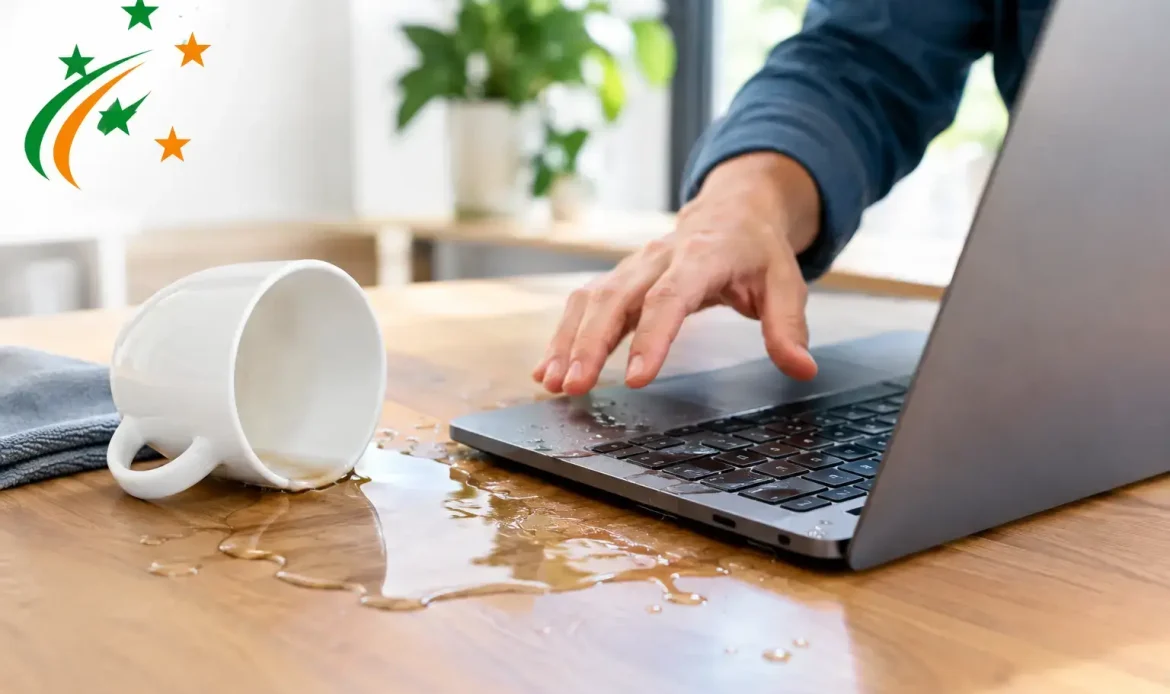
A drink tipped beside the laptop, rain through an open window or a leaking bottle in a computer bag can turn into a serious problem quickly. Liquid damage repair has the best chance of success when the computer is switched off straight away and not repeatedly tested to see whether it still works.
Water and electronics are an obvious bad mix, but the real damage is not always immediate. A computer may appear to recover after a spill, then fail days or weeks later as moisture and residue cause corrosion on internal components. Acting calmly and getting the right help early can make a real difference to the repair cost, your data and the life of the machine.
First steps after a spill
The priority is to remove power. If the computer is running, hold the power button down until it switches off. Unplug the charging cable, disconnect external devices and remove the battery if it is designed to be removed easily. Do not keep clicking, typing or restarting it to check whether everything is okay.
For a laptop, gently place it with the keyboard facing down on a clean towel so liquid can drain away rather than deeper into the keyboard and mainboard. Avoid shaking it hard. With a desktop computer, turn it off at the wall, unplug it and keep it upright unless liquid has entered the case. If there is any sign of a swollen battery, heat, smoke or a burning smell, leave the device powered down and do not connect it to a charger.
What was spilled matters. Clean water may cause less residue than coffee, soft drink, wine, milk or a sugary drink, but any liquid can create a short circuit. Sticky or acidic spills are particularly troublesome because they leave conductive residue behind even once the surface looks dry.
What not to do before liquid damage repair
A few well-meant home fixes can turn a recoverable spill into a more expensive repair. Do not use a hair dryer, heater or oven. Direct heat can warp plastic, damage screens, weaken solder joints and push moisture further inside the computer.
Rice is not a reliable solution either. It does not remove sugary residue or corrosion, and loose particles can create another cleaning problem. Leaving a computer to dry naturally may be appropriate while you arrange help, but drying alone is not the same as cleaning and inspecting the affected parts.
It is also best not to open a laptop unless you are confident working with delicate components. Modern laptops often have internal batteries, fragile connectors and tightly packed parts. Disconnecting the wrong cable or causing further damage can complicate the repair. A desktop is generally easier to inspect, but it should still remain unplugged until it has been assessed.
Why a computer can fail after it seems dry
Liquid does not need to be visible to cause trouble. It can sit beneath a keyboard, inside a charging port, under a memory slot or around tiny components on the mainboard. When power is applied, it can create a short circuit. Later, minerals and contaminants left by the liquid can begin corroding metal contacts and tracks.
This is why a laptop that boots the next morning is not necessarily in the clear. You may notice intermittent keyboard keys, charging problems, random shutdowns, a flickering display, unreliable Wi-Fi or a trackpad that stops responding. These faults can develop gradually and are worth checking sooner rather than later.
A professional assessment normally involves opening the device safely, inspecting affected areas, disconnecting power, cleaning residue with suitable electronics-safe products and checking components for corrosion or damage. Once cleaned and dried correctly, the computer can be tested to identify what still needs replacing or repairing.
When liquid damage repair is worthwhile
The answer depends on the age and value of the computer, the amount and type of liquid involved, how quickly it was powered down and which components were affected. A spill limited to a keyboard or removable part can often be resolved at a reasonable cost. Damage to a mainboard, display assembly or internal battery may require a more careful cost-versus-benefit discussion.
For a newer laptop with important files, a repair attempt is often worthwhile even if a replacement part is needed. For an older machine with extensive corrosion, putting the budget towards a replacement computer may be the more sensible option. Honest advice should include both possibilities, rather than spending money on repairs that do not make financial sense.
Data can change the decision as well. If family photos, business documents, accounting records or email files are stored only on the affected computer, recovering that data may be the priority. In many cases, the storage drive can be assessed separately, even when the computer itself is not economical to repair. There are no guarantees with severe liquid damage, but fast action gives data recovery the best possible chance.
Protecting work and personal files
Small businesses can lose more than a workstation when a spill occurs. If the computer is used for invoices, customer records, job schedules or specialised software, downtime quickly becomes disruptive. Avoid connecting external backup drives or USB devices to a computer that may still have moisture inside. This can risk spreading the problem to equipment that was not affected.
If files are stored in a cloud service and you can access them from another device, use that device instead of trying to force the wet computer back into operation. For locally stored files, a technician can advise whether it is safe to remove and copy the drive. The right approach depends on the model of computer and whether the storage is soldered to the mainboard or fitted as a separate component.
Once the immediate issue is handled, it is a good time to review backups. A simple routine that keeps a separate copy of important files can take much of the stress out of future accidents. Backups need to be checked occasionally too, because a drive that has not been tested is not much help when you need it.
What to expect from a repair assessment
A proper liquid damage assessment should start with a clear explanation of the likely work, the risks and the available options. The technician will usually ask when the spill happened, what liquid was involved, whether the computer was running and whether it has been turned on since. These details help determine how urgent the cleaning and inspection need to be.
After assessment, the outcome may be as straightforward as cleaning and replacing a keyboard, or it may involve damaged ports, battery issues or mainboard repair. Some faults become apparent only after initial cleaning and testing, so it is sensible to allow for the possibility of a staged diagnosis. A reputable repair service should discuss costs before proceeding with major work.
For southern Adelaide home users and small businesses, Southern Computer Services SA can assess liquid-affected Windows laptops and desktop computers, explain the practical options and help protect accessible data. Mobile assistance, pickup-and-return servicing or workshop repair may suit different situations, especially where the computer should remain powered down and undisturbed.
Reducing the risk next time
No one plans to spill a drink on their computer, but a few small habits help. Keep drinks on a different surface where possible, use a bottle with a secure lid near work areas and avoid leaving laptops on the floor where pets, children or a knocked-over glass can reach them. A protective keyboard cover may help with minor splashes, although it is not a guarantee against a larger spill.
For desktop computers, keeping the tower off the floor can reduce the risk from wet carpets, cleaning accidents and minor flooding. It also helps to keep cables tidy so the computer is less likely to be pulled from a desk. Most importantly, maintain current backups of files you would be upset to lose.
A spill is frustrating, but it does not always mean the end of a computer. Switch it off, keep it unplugged, resist the temptation to test it and arrange an assessment as soon as practical. Those first decisions often matter more than the spill itself.