




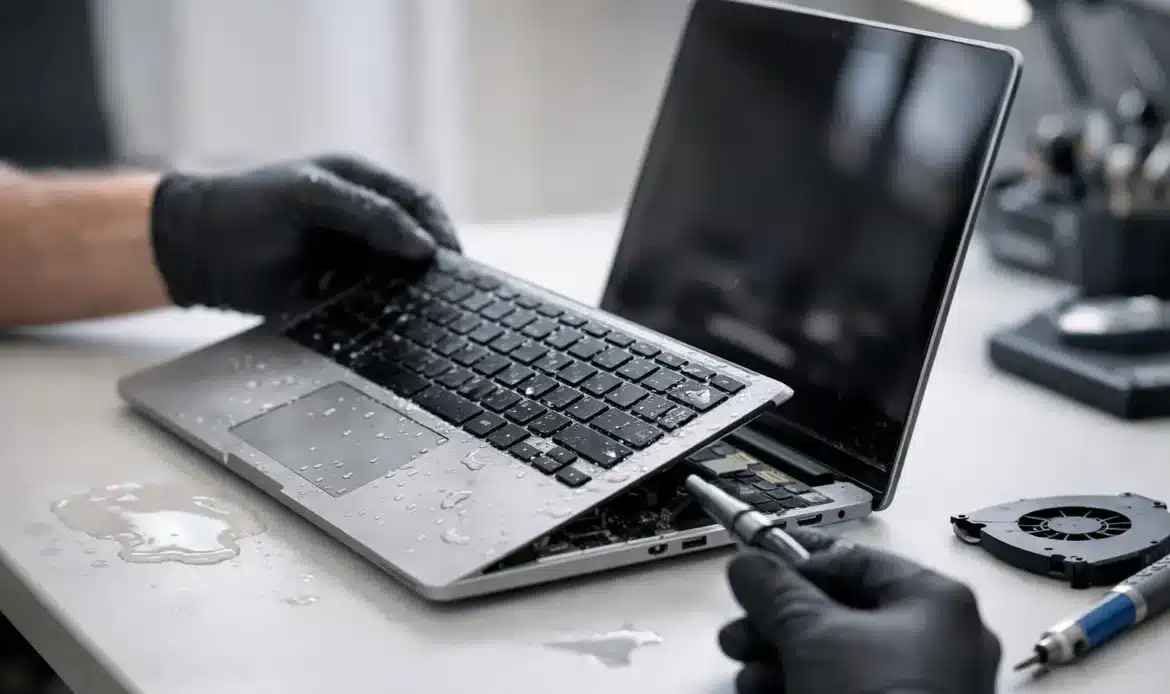
A spilled coffee beside the keyboard, a drink knocked over at the kitchen table, or a laptop caught in the rain can turn an ordinary day into a stressful one. The question, “Can a water-damaged laptop be repaired?”, often has a positive answer – but what you do in the first few minutes can make a major difference to both the repair cost and the chance of saving your files.
Water damage is not always visible from the outside. A laptop may appear to work after a spill, then fail days later as corrosion develops on internal components. That is why a quick, practical response matters more than trying to see whether it will “come good” on its own.
Can a water damaged laptop be repaired?
Yes, many water-damaged laptops can be repaired, particularly when power is disconnected quickly and the liquid has not reached or damaged critical components. Repairs can range from cleaning and replacing a keyboard through to component-level board repairs, storage recovery, or replacing parts such as the battery, charging socket, screen or motherboard.
The outcome depends on several things: what liquid was spilled, how much entered the laptop, where it travelled, whether the machine was on at the time, and how long it remained powered afterwards. Clean water is generally less damaging than coffee, soft drink, wine or anything sugary. Those liquids leave conductive or sticky residue behind, which can continue causing faults even after the laptop feels dry.
A repair technician should assess the device before promising a result. Sometimes the most sensible option is a targeted repair. In other cases, especially with an older laptop and extensive motherboard damage, recovering the data and replacing the computer may offer better value.
What to do straight away after a spill
Do not keep using the laptop to finish an email, save a document or check whether the keyboard still works. Electricity and liquid are a bad combination, and repeated attempts to turn it on can cause more damage than the spill itself.
Take these steps as soon as you can:
- Turn the laptop off immediately. If it is already off, leave it off.
- Unplug the charger and remove any connected devices, such as USB drives, a mouse or an external monitor.
- If the battery is removable, take it out. Do not force it if it is built into the laptop.
- Gently place the laptop upside down in an inverted V shape on a towel, with the keyboard facing down, so excess liquid can drain away.
Avoid shaking the laptop. This can spread liquid further inside. Do not use a hair dryer, place it in an oven, put it on a heater or leave it in direct sun. High heat can warp plastic parts, affect the screen and push moisture deeper into the machine.
The rice trick is also not a reliable repair method. Rice does not remove sticky residue or corrosion, and loose dust can create another problem inside the laptop. Drying is only one part of dealing with a spill. Proper internal inspection and cleaning are often the part that prevents a later failure.
Why a laptop can fail after it seems dry
A laptop can look fine after a day or two, especially if only a small amount of liquid reached the keyboard. It may even start normally. Unfortunately, moisture and residue can remain underneath the keyboard, around connectors and on the motherboard.
When power returns, residue can create short circuits. Over time, corrosion can affect tiny solder points and electrical tracks. This may show up as keys that stop working, random shutdowns, a battery that no longer charges, unreliable Wi-Fi, display faults or a laptop that will not switch on at all.
This delayed damage is one reason it is worth having a liquid-affected laptop checked, even if it currently appears normal. Early cleaning can be far less costly than waiting until a corroded component fails.
What happens during a professional water-damage repair?
A proper assessment starts with checking for signs of liquid entry and corrosion. The laptop is opened carefully, with the battery disconnected before internal work begins. A technician can inspect the keyboard, motherboard, cooling system, storage drive, charging area and internal cables to see where the liquid travelled.
The affected areas are cleaned using methods suitable for electronics, then inspected for damaged components or connections. If the spill caused a localised issue, replacing the keyboard or a small part may restore normal operation. If the motherboard has been damaged, repair may be possible, but the cost and likelihood of a lasting repair need to be weighed up honestly.
Testing matters just as much as cleaning. A laptop should be checked for charging, battery operation, keyboard response, display output, USB ports, Wi‑Fi, sound and stability before it is returned to service. It is no help if the laptop boots once but develops faults the following week.
Your files may still be recoverable
For many people, the laptop itself is replaceable. Family photos, business records, emails, invoices and years of documents are not. The good news is that the storage drive can often survive a liquid spill, even when other laptop components do not.
Do not assume the files are gone because the screen is black or the laptop will not power on. The problem could be a keyboard short, a failed charging circuit or motherboard damage while the drive remains intact. A technician may be able to access the drive separately, copy important data and set up a backup before discussing repair or replacement options.
Small business users should act quickly if the laptop holds customer information, accounting files or work that has not been backed up. Avoid repeated power-on attempts, as a short circuit can turn a recoverable situation into a more complicated one.
Repair or replacement: how to make the call
There is no single answer for every laptop. A newer machine with a good screen, battery and performance level is often worth repairing if the liquid damage is limited. A straightforward keyboard replacement or internal clean can be a sensible investment.
Replacement may be the better choice when there is serious motherboard corrosion, multiple failing parts, or the laptop was already slow, unreliable or unable to meet current Windows requirements. In that case, data recovery and transferring your files to a suitable replacement computer may give you a more dependable result than spending heavily on an uncertain repair.
Be cautious of anyone who offers a guarantee before examining the device. Liquid damage is unpredictable. Clear advice should explain the fault found, the likely cost, the risks involved and whether the repair is expected to be worthwhile.
How long should you wait before seeking help?
The best time to arrange help is as soon as the laptop is powered down and safely drained. Do not wait several days just because it seems to be drying. The sooner internal moisture and residue are dealt with, the better the prospects for preventing corrosion.
If you are in southern Adelaide and need practical help, Southern Computer Services SA can assess a liquid-damaged Windows laptop, advise whether repair is worthwhile and help protect important data where possible. Pickup-and-return, mobile and remote support options can also make the next step less disruptive when you are already dealing with an unexpected spill.
Once the immediate problem is sorted, consider setting up an automatic backup routine. It will not prevent the next knocked-over cuppa, but it can make the decision to repair or replace a laptop far less stressful.

