




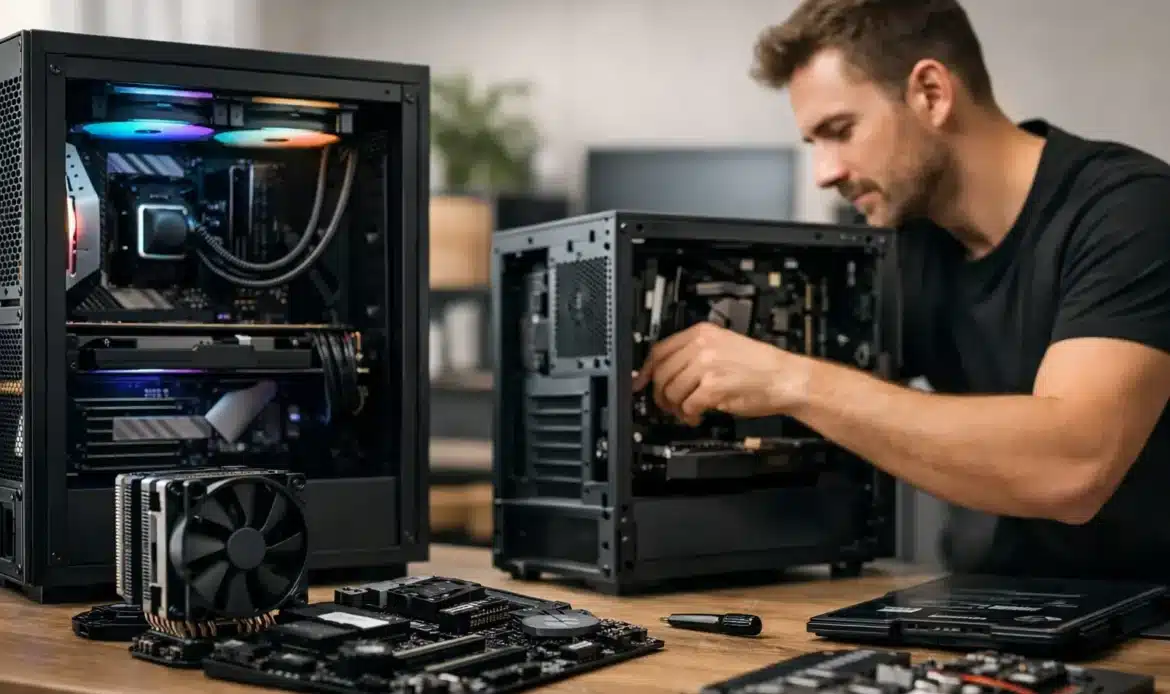
A desktop should suit the work you actually do, not force you to pay for features you will never use. That is why many people looking for Adelaide custom desktop builders want more than a box off a retail shelf. They want someone to ask the right questions, explain the options plainly and build a computer that will still feel capable a few years from now.
For a family home, that may mean a quiet, reliable PC for banking, schoolwork, photos and video calls. For a small business, it may mean a responsive workstation that handles accounts, email, web-based systems and multiple screens without slowing everyone down. For a gamer or creative user, it may mean carefully balancing processor, graphics, memory and storage so the budget goes where it makes a noticeable difference.
A custom desktop is not automatically the right answer for every person. If your current computer only needs more memory, a solid-state drive or a clean Windows reinstall, an upgrade may be the sensible choice. But when the system is old, unreliable or no longer suited to what you need, a purpose-built desktop can offer better value and a clearer path for future upgrades.
Why choose Adelaide custom desktop builders?
The main benefit of a custom-built PC is fit. Pre-built computers are designed to appeal to the broadest possible market. They can include a strong component in one area but cut corners elsewhere, such as limited storage, an undersized power supply, poor airflow or a case that makes later upgrades difficult.
A local builder can work backwards from your needs. Rather than starting with a flashy specification, they can ask what software you use, whether you need multiple monitors, how much storage you require, where the computer will sit and whether quiet operation matters. These details are often more useful than comparing processor names alone.
There is also value in having a real person nearby when you need help after the build. A new PC still needs to be set up properly, connected to printers and Wi-Fi, updated, protected and transferred across from the old computer. For many home users and small businesses, that practical support is as important as the hardware itself.
Start with the job, not the parts list
A good custom desktop conversation begins with everyday use. It is easy to get caught up in technical specifications, especially when online advice makes every component sound essential. In reality, the best build depends on the jobs you need it to perform.
Home, study and everyday use
For browsing, online banking, emails, documents, photo storage and streaming, the priority is a quick, dependable experience. A modern processor, enough memory for several browser tabs and applications, and a solid-state drive will make a far greater difference than expensive graphics hardware.
Storage deserves some thought. Many households have years of photos, documents and scanned records. A smaller fast drive may be ideal for Windows and programs, while additional storage can hold larger files. Backups should be part of the plan from the beginning, because no desktop is protected from accidental deletion, hardware failure or malware simply because it is new.
Small business workstations
Small business PCs need consistency. Delays caused by a slow computer, unreliable email, poor Wi-Fi or a failed hard drive quickly become lost time. The right desktop should have enough performance for the applications you use every day, as well as practical connections for screens, printers and other equipment.
If your work involves accounting programs, cloud services, large spreadsheets or several browser-based tools open at once, extra memory and fast storage are usually worthwhile. If staff use two or three monitors, it is important to confirm the desktop can support them properly before purchase. A well-planned workstation is easier to maintain and less likely to become the bottleneck in a busy office.
Gaming and creative work
Gaming PCs and creative desktops need more careful balancing. A high-end graphics card may be worthwhile for modern games, video editing, 3D work or graphics-heavy software, but it needs to be matched with a suitable processor, power supply, cooling and monitor. Spending heavily in one area while compromising in another can lead to disappointing performance.
Creative work can also require more storage than expected. Video files, design projects and photo libraries grow quickly. Fast working storage improves day-to-day responsiveness, while separate backup storage helps protect valuable work. It is worth discussing the programs you use rather than assuming every creative task needs the same specification.
The components that affect real-world performance
You do not need to become a hardware expert to make a good decision, but it helps to understand what each major part does.
The processor handles the general workload of the computer. It influences how responsive the system feels when running programs, working with documents or completing more demanding tasks. More processing power can help, but only if your normal workload actually uses it.
Memory, often called RAM, helps the computer keep several programs and browser tabs open without bogging down. Too little memory is one of the common reasons an otherwise decent PC feels slow. It is often a sensible area to allow for future growth.
A solid-state drive is one of the most noticeable upgrades in a modern desktop. It improves startup times, application loading and general responsiveness compared with older mechanical hard drives. Traditional hard drives can still be useful for large, lower-cost storage, but they are not usually the best choice for the main Windows drive.
The graphics card matters most for gaming, visual design, editing and software that uses graphics acceleration. For general office or household use, dedicated graphics may not be necessary. Paying for it when you will not use it is money better spent on storage, memory, backup or a quality monitor.
The power supply and cooling are less exciting, but they matter. A quality power supply protects the build and leaves room for appropriate upgrades. Good airflow helps components run at sensible temperatures, particularly during long gaming sessions or demanding creative work. A quiet case and suitable cooling can be important if the PC lives in a study, bedroom or shared workspace.
Avoiding false savings and unnecessary extras
A cheap desktop can be expensive if it needs replacing sooner than expected. On the other hand, the most expensive build is not necessarily the best value. The aim is to spend where it improves your experience and avoid paying for performance you will never notice.
Be cautious of specifications that look impressive but leave out useful detail. Storage capacity alone does not tell you whether the main drive is fast. A large memory number is not enough if the processor, cooling or power supply are poor quality. Ask what parts are being used, why they have been selected and whether they can be upgraded later.
It is also sensible to consider the whole setup. A powerful computer paired with an old, low-quality monitor may not deliver the result you expect. You may benefit more from a second screen, a comfortable keyboard, better Wi-Fi coverage or a reliable backup arrangement than from another step up in processor speed.
Setup and support matter after the build
A custom desktop is only ready when it works properly in your home or office. That includes installing Windows, applying updates, setting up security, transferring files, connecting peripherals and checking internet access. If you rely on a printer, scanner, email account or business software, these should be tested before the old computer is retired.
Data transfer deserves particular care. Files can be copied across, but it is also worth checking that important folders, saved passwords, email archives and specialist software are accounted for. A clean start is useful, yet it should not mean discovering later that a critical document or program has been left behind.
Southern Computer Services SA can help local customers with custom desktop builds as well as setup, upgrades, data transfer and ongoing support. That means you can get practical advice before committing to a new system, rather than being left to interpret a long list of parts on your own.
Questions worth asking before you buy
Before agreeing to a build, ask what the desktop is designed to do, which components can be upgraded later and how the system will be supported if a problem arises. Confirm what is included in the quoted price, such as Windows setup, data transfer, monitor connections and delivery or installation.
It is also reasonable to ask whether repairing or upgrading your existing computer would be better value. Honest advice should not always lead to a new purchase. Sometimes a new solid-state drive, extra memory or a proper cleanup is enough to give an older system a useful second life.
The right desktop should make technology less frustrating, not create another project for your weekend. Choose a build around the way you work, allow for the next few years where it makes sense, and make sure help is available when you need it.

