



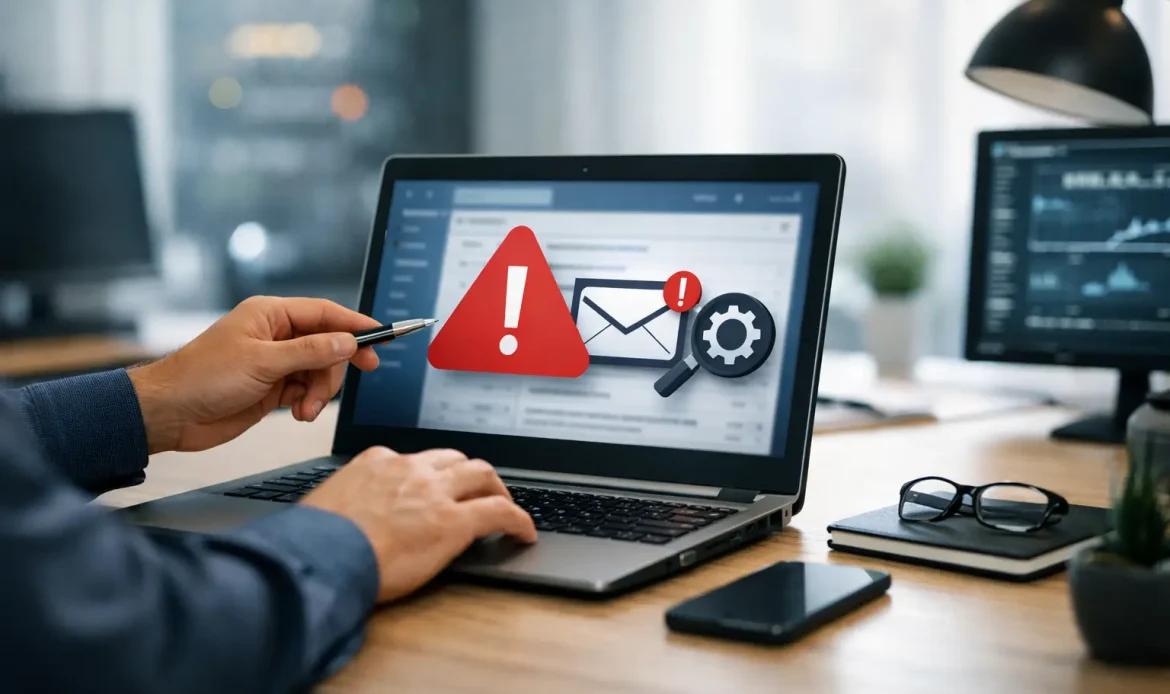
When your email stops working, it rarely happens at a convenient time. It happens when an invoice needs to go out, when a school form is due, or when you are waiting on an important reply that never arrives. An email troubleshooting service is there to sort out the real cause quickly, without sending you in circles through settings you should not have to decipher on your own.
For home users and small businesses, email problems can look simple on the surface but have a few different causes underneath. A password might be wrong, but so might the outgoing mail settings. Messages might appear to send, yet sit in an outbox because of a connection issue. You may be receiving email on one device but not another. Sometimes the issue is the email account itself. Other times, the problem sits with the computer, the mail app, the internet connection, or security software getting in the way.
What an email troubleshooting service actually helps with
A good email troubleshooting service does more than reset a password and hope for the best. The job is to work out whether the fault is with the account, the device, the software, the internet connection, or a combination of several things.
That can include login failures, messages bouncing back, attachments not sending, mail not syncing, folders disappearing, spam filtering gone too far, or an email program that opens but refuses to update. In some cases, the account has been compromised and starts sending rubbish mail without the owner realising. In others, settings have changed after a software update or internet provider change.
This is where practical support matters. Instead of guessing your way through server names, ports, authentication settings, and security prompts, the issue gets tested methodically. That usually means checking account access, confirming server details, reviewing send and receive settings, testing the network, and making sure the mail program is talking properly to the account.
Why email issues are often more complicated than they seem
Most people assume email is either working or not working. In reality, there is a lot happening in the background. One device may still hold older settings while another has updated. A saved password may be outdated in one place but not another. Security changes from your email provider can also break an older setup without much warning.
Small business users run into another layer of problems. Shared addresses, custom domains, website hosting settings, and multiple staff devices can all affect how reliably email works. If one person changes a password or a provider updates security requirements, the flow-on effect can be bigger than expected.
There is also the problem of symptoms looking identical when the causes are completely different. An email that will not send could be caused by a large attachment, blocked outgoing mail, a corrupted mail profile, or a flaky internet connection. That is why a proper fix starts with diagnosis, not just trial and error.
Common signs you need email troubleshooting service support
Some problems are obvious, such as repeated password prompts or error messages every time you try to send mail. Others build up slowly. You might notice messages arriving hours late, folders not matching between devices, or contacts disappearing after a change in settings.
If email is central to your work, delays matter just as much as total failure. A business missing quote requests or customer replies can lose money without realising it straight away. For home users, missed appointments, account notices, and family communication can create just as much frustration.
A few warning signs are worth acting on early. Mail stuck in the outbox, bounced messages, duplicate emails, sudden spikes in spam, or an inbox that stops updating on one device are all signs that something needs attention. If you keep applying temporary fixes and the same issue returns, that is usually a sign the root cause has not been dealt with.
The value of local, hands-on help
There are plenty of online help articles for email issues, but they often assume the problem is simple and that every setup is the same. It rarely is. Different mail programs, internet connections, security software, and account types all change the troubleshooting process.
That is why local support can save a lot of time. A technician can see the full setup in front of them, test what is actually happening, and explain the problem in plain language. For many people, that is far more useful than trying to follow generic instructions that do not match the screen in front of them.
For Adelaide home users and small businesses, that can mean getting help at home, in the office, or remotely depending on what suits the problem best. Some issues can be fixed quickly through remote support. Others are easier to sort out on-site, especially when several devices or network settings are involved.
What to expect from a proper email troubleshooting service
A proper service should start with questions that narrow the issue down. Is the problem happening on one device or all of them? Are you unable to send, receive, or both? Has anything changed recently, such as a password update, internet change, software update, or new computer setup?
From there, the fix should be structured rather than rushed. That may involve checking account credentials, reviewing incoming and outgoing server settings, testing send and receive functions, clearing stuck messages, repairing the mail profile, or removing and re-adding the account correctly. If the issue points to broader system problems, such as malware or unstable internet, that should be addressed as part of the same process.
The best support is also transparent. You should know what is being changed, why the issue happened, and what can be done to reduce the chances of it happening again. Sometimes the answer is straightforward. Other times there are trade-offs. For example, keeping an older mail program may be familiar, but it can also create ongoing compatibility or security issues. In those cases, honest advice matters.
Email troubleshooting service for home users
At home, email problems often affect more than one part of daily life. Bills, school communication, banking alerts, travel confirmations, and family updates all come through the same inbox. When access is lost, it can quickly become stressful.
Home users also tend to have mixed setups. A desktop computer in one room, a laptop used occasionally, and perhaps a webmail login used as a backup. Over time, those setups can drift out of sync. One device may still be working while another has old settings or a broken profile.
This is where patient support makes a difference. The goal is not just to fix the current issue but to leave the setup simpler and easier to manage. That might mean confirming the correct account settings, cleaning up duplicate accounts, checking spam rules, or making sure passwords and recovery options are current.
Email support for small business matters more than most people realise
For small businesses, email is often the front door. Enquiries, bookings, supplier updates, payment notices, and customer service all depend on it. If messages are not getting through, the damage is not always obvious straight away.
Business email issues also tend to affect more than one person. One faulty setting can impact several devices, and a compromised account can create reputational problems if spam gets sent to customers or suppliers. Fast support matters, but so does getting the configuration right afterwards.
A practical service should focus on business continuity. That means restoring access quickly, checking that mail is sending and receiving properly across all required devices, and making sure the account is secure. If there is a broader issue with the PC or network, that should not be ignored just because the inbox starts moving again.
When DIY stops being worth it
There is nothing wrong with trying a few basic checks first. Restart the mail app, confirm your internet is working, and test whether webmail still opens in a browser. If that points clearly to one device, the fix may be simple.
But once you are dealing with repeated password prompts, mail that only works on some devices, missing folders, or settings you do not recognise, DIY often becomes a time sink. It is easy to make things worse by deleting the wrong profile, changing the wrong setting, or assuming the problem is with the account when it is actually the computer.
That is usually the point where experienced help pays for itself. Southern Computer Services SA deals with these kinds of day-to-day problems in a practical way, with support that is focused on getting things working again rather than dressing the issue up in jargon.
Email should be boring in the best possible way – dependable, quiet, and there when you need it. If yours is doing anything else, getting it sorted properly now is a lot easier than chasing the same problem again next week.

