


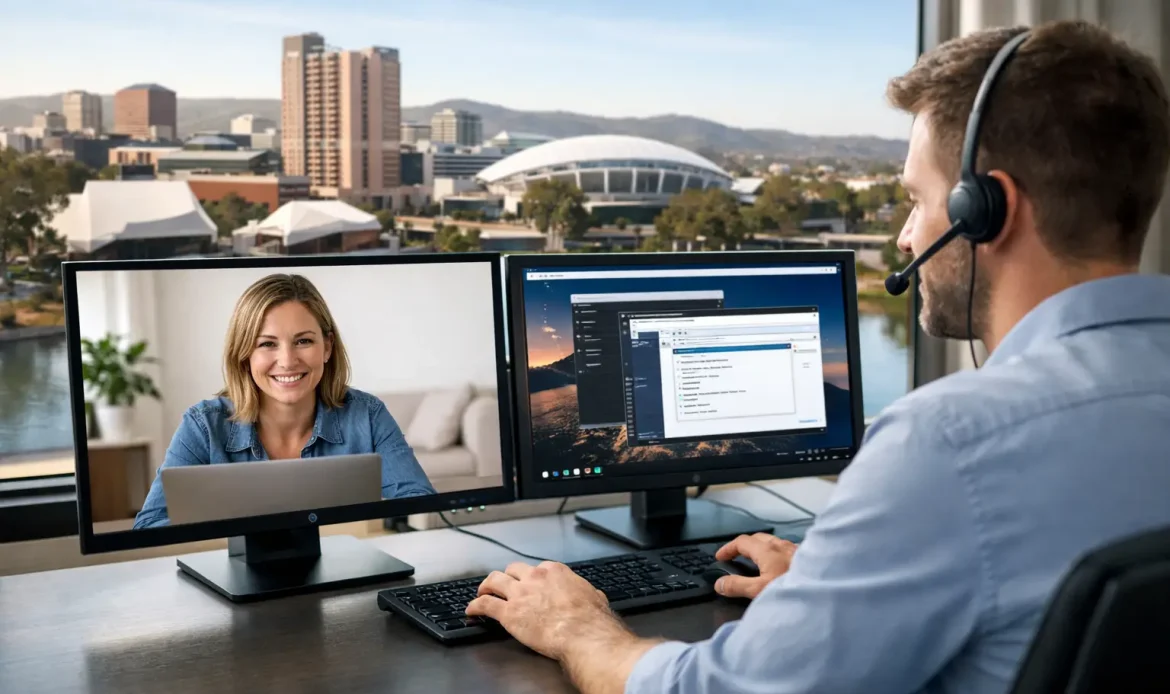
A computer problem rarely shows up when it suits you. It happens when you need to send invoices, join a meeting, print schoolwork or simply get online. That is why remote computer support Adelaide customers can rely on has become such a practical option. When the issue can be fixed without waiting for a technician to travel, you get help sooner and often with far less disruption.
For home users and small businesses, remote support is not about replacing personal service. It is about solving the right problems in the quickest, most convenient way. If your Windows laptop is running slowly, your email has stopped syncing, your printer settings are confused, or your internet connection needs checking, remote assistance can often sort it out while you stay at home or keep working at your desk.
What remote computer support in Adelaide actually covers
A lot of people hear the term and assume it is only for simple jobs. In reality, remote support can handle a wide range of everyday computer issues. If a technician can securely access your PC and the machine still turns on, connects to the internet and lets remote software run, many common faults can be diagnosed and fixed without an on-site visit.
That includes slow system performance, Windows error messages, software setup, email troubleshooting, malware checks, browser issues, driver problems and general tidy-up work that helps a computer run properly again. It can also be useful for Wi-Fi troubleshooting, provided the issue is with settings rather than a dead modem or damaged hardware.
For small business users, remote support is especially useful when downtime matters. A workstation that cannot access email, a user account with sync problems, or a PC that is behaving oddly after an update can often be dealt with quickly. You avoid packing up the machine, driving anywhere or waiting around for a technician to arrive.
When remote support is the better option
The main advantage is speed. If your computer starts, connects to the internet and the problem appears to be software-related, remote support is often the most efficient first step. There is no travel time involved, which means help can begin sooner.
It is also convenient for people who are not keen on disconnecting cables or carrying a desktop tower into a shop. That matters for families, older users and small business owners who simply want the problem handled with as little fuss as possible.
There is a cost benefit too, depending on the issue. A short remote session to correct settings or remove a troublesome program can be more sensible than booking a longer appointment for something that does not require hands-on work. Good support is not about forcing every job into one service model. It is about choosing the approach that fits the problem.
When remote computer support Adelaide customers need may not be enough
There are limits, and it is better to be honest about them. If the computer will not power on, has a failing hard drive, a damaged screen, a swollen battery, overheating hardware or no usable internet connection, remote support may not be possible. The same applies if malware has locked the system down so badly that remote access cannot be safely established.
Some networking issues also need an on-site visit. If the modem has failed, cabling is damaged, or several devices are dropping out and the cause is not obvious, physical testing may be needed. Hardware upgrades, custom PC builds, internal cleaning and part replacement obviously need hands-on service as well.
That is where a local provider makes a difference. You are not dealing with a call centre that only offers one option. If the problem starts as a remote job and turns out to need an on-site visit or workshop repair, the next step should be straightforward.
How a remote support session usually works
For most people, the biggest concern is not the fix itself. It is wondering what will happen once someone connects to the computer. A good remote session should feel simple, clear and controlled.
Usually, the technician talks with you first to understand the symptoms. That matters because the same problem can have several causes. A slow computer might be caused by too many startup programs, low storage space, unwanted software, update issues or malware. Asking the right questions saves time.
Next, you are guided through a secure remote access process. Once connected, the technician can inspect settings, run checks, remove software causing trouble, apply updates, adjust startup items, test email or internet settings and explain what they are doing as they go. You can normally watch the whole process on screen.
The best part for many customers is that there is no mystery at the end. You should know what was wrong, what was fixed and whether anything still needs attention later. Honest support is not about making the job sound more technical than it is.
Common problems remote support can fix quickly
Some issues are ideal for remote work because they are annoying, disruptive and often fixable without touching the hardware. Email problems are a classic example. Accounts stop sending, passwords stop working, folders stop syncing or spam settings go haywire. These are frustrating problems, but they are often resolved with the right checks and adjustments.
Windows update problems are another common one. A machine may start acting strangely after an update, or it may refuse to install updates properly. Remote support can often sort out update errors, clean up temporary issues and restore normal performance.
Browser hijacks, suspicious pop-ups and systems slowed down by unwanted software can also be good candidates, provided the infection has not become too severe. Likewise, help with software installation, printer setup, cloud storage syncing and user account issues can often be handled quickly from a distance.
Why local support still matters with remote service
Remote support is convenient, but the local part still matters. A provider who understands the needs of Adelaide households and small businesses is more likely to offer practical help, realistic timing and service that does not feel impersonal.
That matters when the issue is urgent, but it also matters when the problem is not straightforward. Maybe your home Wi-Fi keeps dropping out in one room, your older desktop is struggling with Windows 11 requirements, or your small office has a mix of everyday problems across several PCs. In those situations, you want someone who can start remotely and then provide on-site help if needed, rather than passing you around.
Southern Computer Services SA works this way because real support is not one-size-fits-all. Some jobs are solved in a single remote session. Others need follow-up, repairs, upgrades or a proper look at the network setup in person. The value is in having both options available.
Choosing the right remote computer support in Adelaide
Not all support services are equal. Fast help is useful, but only if the advice is clear and the pricing is upfront. For most customers, trust comes down to a few simple things. Can the technician explain the issue in plain English? Are they focused on fixing the problem rather than upselling? Will they tell you when remote support is not the right tool for the job?
Those details matter more than fancy language. If you are dealing with a slow laptop, unreliable email or a business PC that has stopped cooperating, you want calm, competent help from someone who has seen the problem before.
It also helps to choose a provider with broad experience across the kinds of issues that show up in real homes and small offices. That means Windows problems, internet and Wi-Fi headaches, malware clean-up, data concerns, upgrades and the odd mystery fault that starts with, “It was working yesterday.” A technician who handles those jobs every day can usually tell quite quickly whether remote support will save you time or whether another service option makes more sense.
Technology does not need to become a bigger drama than it already is. If your computer is still online and the issue looks software-related, remote support can be the fastest path back to normal. And if it turns out the fix needs more than a remote session, a good local technician will tell you that plainly and help you move to the next step without wasting your time.

