




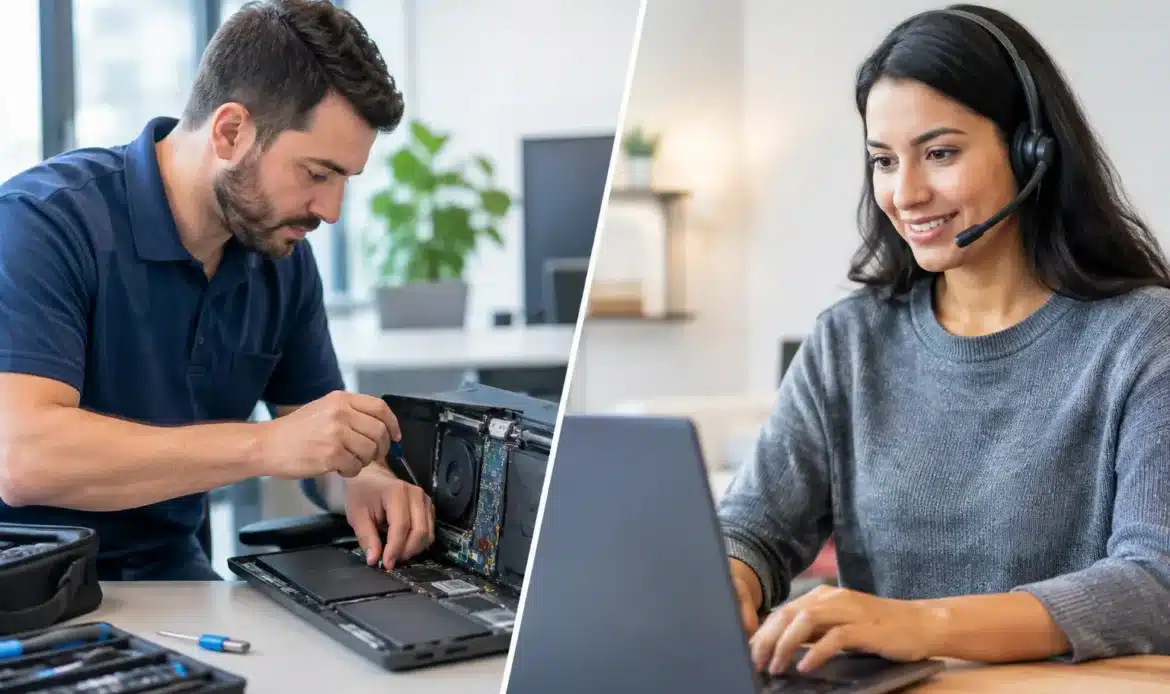
A computer problem rarely arrives at a convenient time. Your laptop may be painfully slow before an online appointment, emails may stop sending just as invoices are due, or the home Wi-Fi may drop out when everyone needs it. When deciding between onsite vs remote computer support, the best option comes down to what has gone wrong, what access is available, and how quickly the issue needs to be sorted.
Remote help can be fast and cost-effective when the computer still starts and connects to the internet. Onsite help is often the better choice when the fault involves hardware, cables, Wi-Fi coverage, several devices, or someone who would simply feel more comfortable with a technician there in person. Neither option is automatically better. The right one is the one that gets you working again with the least fuss.
What remote computer support can fix
Remote support allows a technician to securely view and control a Windows computer over the internet, with your permission. You can see what is happening on screen and ask questions as the work is carried out. For many day-to-day software issues, it removes the need to wait for a visit or take a computer anywhere.
It is particularly useful for problems such as email setup and errors, printer settings, Windows updates, slow performance caused by unnecessary startup programs, software faults, browser problems, and general tidy-ups. It can also suit users who need advice while they are looking at the issue, rather than trying to describe an error message over the phone.
For a small business, remote assistance is often a practical first response when one workstation has a login problem, an application is misbehaving, or a staff member needs access configured. If the PC is online and the fault is software-based, it may be possible to begin work promptly without disrupting the rest of the office.
The limits of remote support
Remote support needs three things: a computer that can turn on, a working enough internet connection, and someone available to approve the connection. If your PC will not boot, the screen is blank, the power supply has failed, or your internet is completely down, a remote session cannot solve the immediate access problem.
It also has limits when the issue is physical. A technician cannot remotely replace a failing hard drive, reseat a loose cable, test a charger, improve poor Wi-Fi coverage around the house, or inspect a desktop that is overheating. Remote help may identify the likely cause, but a hands-on visit or workshop repair will still be needed.
Some people are understandably cautious about allowing remote access. The sensible approach is to use a trusted local provider, only start a session you have approved, and remain at the computer while work is being done. A good technician should explain the problem in plain language and never pressure you into changes you do not understand.
When onsite computer support is the better option
Onsite computer support brings the technician to your home or small business. It is the practical choice when the fault is not limited to one screen or one program. Seeing the full setup often saves time because the technician can inspect the computer, modem, router, printer, cables and network together.
This matters with Wi-Fi problems. A connection might work well in one room but be unreliable in another because of distance, wall materials, router placement or interference. An onsite visit makes it possible to test the signal where you actually use your devices and recommend a realistic fix, rather than guessing from afar.
Onsite help is also useful for new computer setup, data transfers, hardware upgrades, Windows 11 migration, printer connection, and problems affecting several computers. If a desktop needs more memory, a new drive, or internal cleaning due to heat and dust, those jobs require physical access. The same applies when a device has suffered a spill, a knock, or a sudden hardware failure.
For less confident users, the value of an onsite visit is not just the repair. It is the chance to ask questions, see where equipment is connected, and receive simple guidance on using the system afterwards. That can prevent the same small issue from becoming a bigger headache next week.
Onsite support is not always necessary
An onsite visit can be unnecessary for a straightforward software issue. If your internet is working and the problem is limited to email, settings, updates or a slow PC, remote support may get the job done sooner. Choosing remote help first can also be sensible when you want an initial assessment before deciding whether a repair visit is required.
The key is honest diagnosis. There is little point paying for an onsite visit to fix a setting that can be corrected remotely, just as there is little point repeatedly troubleshooting a physical fault from a distance. A technician should recommend the service method that suits the issue, not simply the method that is easiest for them.
Onsite vs remote computer support for common problems
A useful way to decide is to look at the type of fault rather than the name of the service.
If your computer starts normally, connects to the internet, and shows an error in a particular program, remote support is usually worth trying. Common examples include email problems, software installation, Windows settings, browser pop-ups, basic virus or spyware checks, and performance troubleshooting.
If the computer will not start, makes unusual noises, has a cracked connection port, repeatedly loses power, or needs parts replaced, arrange onsite help or a pickup-and-return repair. The same goes for a home network where the modem, router, printer and multiple devices need checking together.
For a suspected malware infection, the answer depends on the severity. Remote support can sometimes remove unwanted software and secure the system if the computer is stable and online. If the infection is serious, the machine is locked up, or important data is at risk, a more thorough hands-on assessment may be safer. In some cases, backing up data and reinstalling Windows is the cleanest solution.
Data recovery also needs care. Avoid repeatedly restarting a computer that has stopped detecting its drive or is making clicking sounds. Continued use can make recovery harder. This is a situation where physical assessment is generally the sensible next step.
Think about the whole setup, not just the computer
Many support calls begin with “my computer is not working” when the real cause sits elsewhere. It could be the router, a damaged cable, a printer queue, a power board, an internet outage, or an account setting. That is why a few clear questions before booking support can make a difference.
Check whether other devices can get online, whether the issue affects one person or everyone, and whether anything changed before the problem began. A recent update, new modem, power interruption or software installation can provide useful clues. You do not need to diagnose the fault yourself, but these details help point support in the right direction.
Small businesses should also consider how many people are affected. One staff member unable to access email may suit remote assistance. An office-wide network or printer failure is usually better handled onsite, where the full environment can be tested. If work relies on a particular desktop, arranging a backup and checking the health of its storage before it fails can prevent a much more stressful interruption.
Cost, convenience and response time
Remote support often offers the quickest path for software-related issues because there is no travel time. It can be especially convenient if you are at home, travelling locally, or unable to bring a desktop in for repair. It is also easier to schedule a short session for a specific task, such as setting up email on a replacement computer.
Onsite support gives you broader troubleshooting and hands-on assistance, particularly when there are several devices or a network involved. It may take more planning, but it can save repeat appointments when the issue needs physical testing. For customers across southern Adelaide, Southern Computer Services SA provides mobile support with no call-out fee and an upfront rate of $139 for up to one hour of onsite assistance, seven days a week.
Price should be clear before work begins, especially if a repair may involve parts, data recovery or a Windows reinstall. Ask what is included, whether the issue can be assessed remotely first, and what happens if the technician finds a hardware fault. Straight answers make it easier to choose with confidence.
Start with the option that removes the obstacle
If your computer is online and the fault appears to be software, remote support is often the sensible first call. If the problem involves hardware, unreliable Wi-Fi, multiple devices or a setup that needs to be seen properly, onsite help is likely to save time and frustration. The most helpful support is not about forcing every job into one method. It is about getting a clear answer, a practical fix, and the confidence to use your technology again.

