




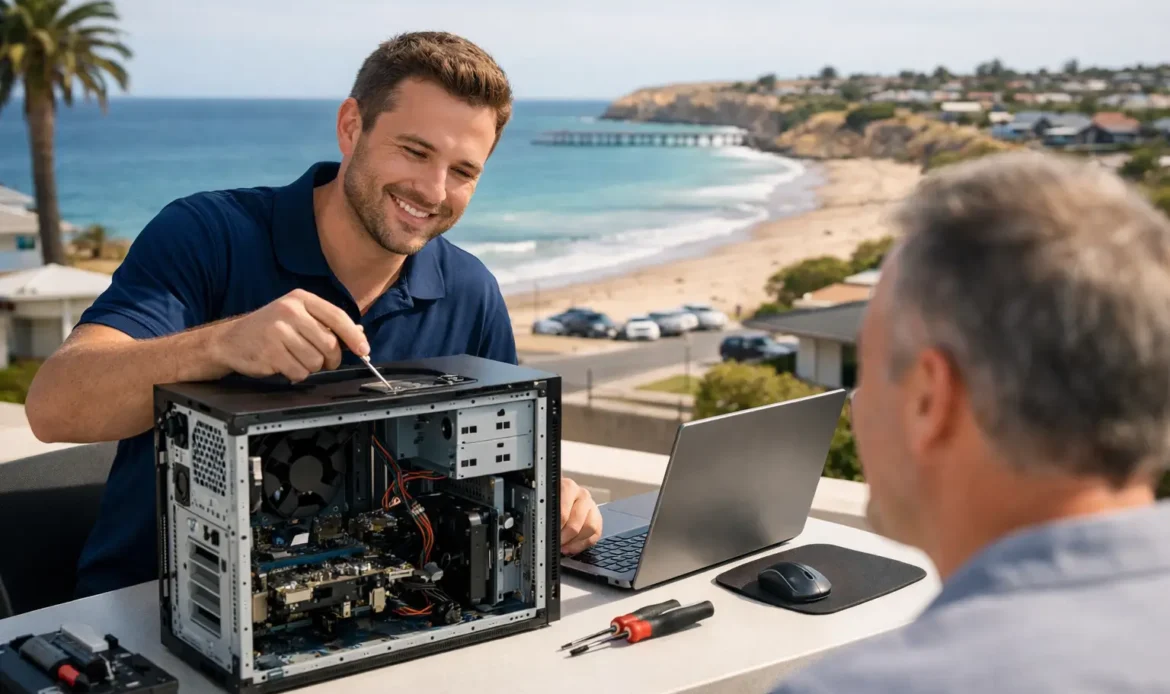
A computer problem rarely arrives at a convenient time. It is usually when you need to send an invoice, join a video call, print school work or access photos that your PC decides to run painfully slowly, lose its internet connection or refuse to start. For dependable PC repair Christies Beach residents can turn to, the best outcome is not a complicated technical explanation. It is clear advice, a sensible fix and a computer that is working properly again.
For home users and small businesses, a PC is often the centre of daily tasks. When it goes wrong, guessing can make matters worse. Restarting a modem is one thing. Repeatedly entering passwords, installing random cleaner programs or continuing to use a computer that may be infected can turn a manageable issue into a bigger job.
When your computer needs more than a restart
Many faults begin as small annoyances. A laptop takes longer to boot, the internet drops out in one room, emails stop sending or a printer vanishes from the network. Sometimes the cause is simple, such as a loose cable, full storage drive or an update that needs attention. Other times, there may be failing hardware, malware, a damaged Windows installation or a network setting that needs proper diagnosis.
It is worth arranging help when a problem keeps returning, interrupts work or puts important files at risk. Common signs include:
- the PC freezes, crashes or restarts without warning
- programs take a long time to open, even after a restart
- pop-ups, unfamiliar software or browser changes appear
- Wi-Fi works inconsistently or devices cannot see the printer
- files, photos or email folders have disappeared or cannot be opened
These symptoms can overlap. A slow computer, for example, may be affected by too many startup programs, a nearly full drive, malware, an ageing hard drive or simply hardware that no longer suits the way it is being used. Good repair work starts by finding the actual cause rather than applying a one-size-fits-all fix.
PC repair in Christies Beach should be practical
The right repair depends on what has happened, how the computer is used and whether the files on it are backed up. There is no benefit in replacing parts that are still doing their job, and there is no point spending heavily on an old system when an upgrade or replacement would offer better value.
A straightforward assessment can separate a software issue from a hardware problem. If Windows is corrupted beyond a sensible repair, a reinstall may be the cleanest option. If the computer has plenty of life left but struggles with day-to-day tasks, more memory or a solid-state drive can make a noticeable difference. For a desktop used for work, gaming or creative tasks, the best answer may be a tailored build instead of trying to force an unsuitable machine to do more than it can handle.
The same thinking applies to internet problems. A slow connection is not always the provider’s fault. Wi-Fi coverage can be affected by the modem location, thick internal walls, interference, outdated equipment or the number of devices sharing the network. A proper check can identify whether the issue is the PC itself, the wireless setup or the connection coming into the home or office.
Virus and spyware removal without the panic
Suspicious pop-ups, unexpected security warnings and browser redirects should not be ignored. Malware can affect performance, compromise passwords and create a risk for banking, email and business information. It can also be less obvious, running quietly in the background while making a computer slow or unstable.
The safest approach is to stop entering sensitive information until the system has been checked. Removal is about more than deleting one visible program. The computer may need a thorough scan, unwanted software removed, browser settings restored and security settings reviewed. Where passwords may have been exposed, changing them from a known-safe device is a sensible next step.
Not every slow PC has a virus, and not every warning on screen is legitimate. That is why an experienced assessment matters. It avoids both unnecessary worry and the risk of overlooking a real infection.
Data recovery and backups need careful handling
When files disappear, the instinct is often to keep clicking, restarting and trying different programs. That can reduce the chance of recovering data, particularly if a drive is failing. If documents, family photos or business records are missing, it is generally better to stop using the computer where possible and get advice before making further changes.
Data recovery results depend on the type of fault and the condition of the drive. Deleted files may be recoverable in some cases, while a physically damaged drive can be more complex. The important thing is an honest assessment of the likely options, not promises that cannot be guaranteed.
Once the immediate issue is dealt with, a backup plan can save a great deal of stress later. A useful backup should be automatic, checked occasionally and kept separately from the computer itself. A backup drive permanently connected to a PC is better than no backup, but it can still be affected by theft, power damage or malware. The most suitable setup depends on how valuable the files are and how quickly they need to be restored.
Support options that suit the problem
Not every fault needs the same type of service. Remote support can be a convenient choice for software settings, email issues, updates and certain Windows problems, provided the computer can still connect to the internet. It can also be useful when a small business needs a quick fix without waiting for someone to travel to site.
For hardware faults, unreliable Wi-Fi, printer setup or a computer that will not start, hands-on help is often the better option. On-site support lets a technician see the full setup, including the modem, cables, desktop equipment and other devices on the network. It is particularly useful when the issue only happens at home or in a small office.
Pickup-and-return servicing can suit jobs that need more time, such as a Windows reinstall, a major upgrade or deeper testing. The key is knowing what will be done, what it is likely to cost and whether your files need to be backed up first. Clear communication matters as much as technical skill when a device contains personal or business information.
Southern Computer Services SA provides mobile, remote and workshop-style support options across southern Adelaide, including Christies Beach. There are no call-out fees, and the up-front rate is $139 for up to one hour of on-site support, available seven days a week. Fixed rates are also available for several standard services, helping customers make an informed decision before work begins.
Windows 11 upgrades are not just about the deadline
For many households and small businesses, the move to Windows 11 raises a practical question: should the current PC be upgraded, repaired or replaced? Compatibility is only one part of the decision. A computer may technically support the newer system but still feel sluggish because its storage, memory or processor is already under strain.
An assessment can check compatibility, the condition of the hardware and whether an upgrade would improve the experience. In some cases, a clean installation and a solid-state drive upgrade can extend the useful life of a capable PC. In others, investing in a newer machine or custom-built desktop is the more economical path over the next few years.
Before any major upgrade or reinstall, make sure important files are backed up. This includes documents, photos, email data, accounting files and browser bookmarks. It is easy to focus on getting Windows running again and forget the small files that make a computer feel like your own.
Choosing local help with confidence
A good PC repair service should explain the issue in plain language, give you options and respect your budget. Be cautious of vague quotes, pressure to replace a device immediately or claims that every problem has a guaranteed fix. Technology is not always predictable, especially where damaged drives, water exposure or ageing hardware are involved.
Look for practical questions instead. What is the computer doing? When did the fault start? Has anything changed recently? Are the files backed up? The answers help narrow down the problem and prevent wasted time. They also help you decide whether a repair is worthwhile or whether an upgrade will deliver better value.
The aim is not to make technology sound clever. It is to get your computer, internet and everyday digital tasks back to being useful. If something is not working as it should, early help is often the simplest way to protect your time, your files and your peace of mind.

