




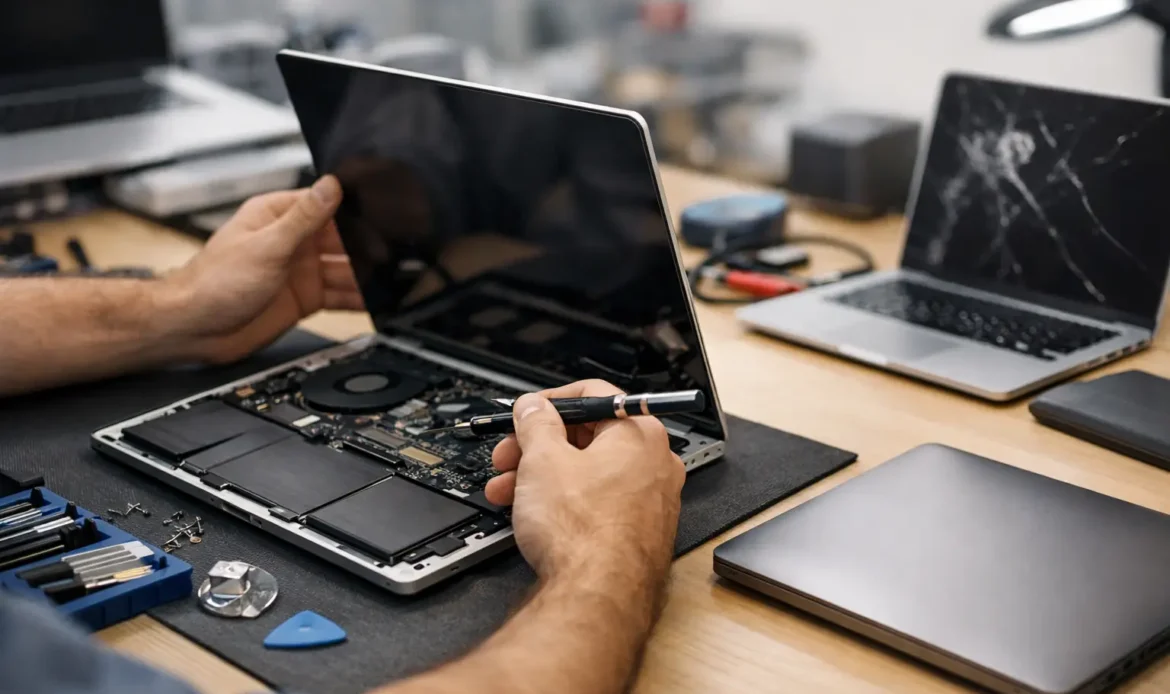
A laptop rarely fails at a convenient time. It might stop charging the night before an assignment is due, refuse to connect to Wi-Fi during a busy work week, or become painfully slow just when you need to send an invoice. For reliable laptop repairs Marion residents can turn to, the first step is working out whether the problem is a straightforward fix, a worthwhile upgrade, or a sign that the machine has reached the end of its useful life.
The good news is that many laptop problems look worse than they are. A professional diagnosis can separate a software fault from a hardware issue, protect your files where possible, and give you a clear idea of the cost before work begins. That is far more useful than guessing, buying parts that may not help, or putting up with a computer that is getting harder to use every day.
Common Laptop Problems That Are Often Fixable
A slow laptop is one of the most common reasons people ask for help. Over time, Windows computers can become weighed down by unwanted start-up programs, outdated software, low storage space, browser extensions, malware, or an ageing hard drive. Cleaning up the system may make a noticeable difference, but some older machines benefit far more from a storage or memory upgrade.
If the laptop uses a traditional hard drive, replacing it with a solid-state drive can significantly improve start-up times and everyday responsiveness. Adding memory can also help when the computer struggles with several browser tabs, email, video calls and documents open at once. Whether an upgrade is worthwhile depends on the laptop’s age, its condition and what you need it to do.
Charging faults are another frequent issue. Sometimes the cause is simply a damaged charger or a loose charging connection. In other cases, the battery has worn out or there is a fault inside the laptop. It is best not to keep forcing a charger into a loose port, as this can make the repair more complicated.
Screen faults, damaged hinges, keyboard issues and overheating can also be repairable. A cracked screen is inconvenient but does not automatically mean the whole computer needs replacing. Likewise, a laptop that becomes very hot or shuts down unexpectedly may need internal cleaning, a cooling-system repair, or attention to a failing component.
Laptop Repairs in Marion Start With the Right Diagnosis
The same symptom can have several causes. A laptop that will not start could have a flat battery, a faulty charger, a damaged power connection, a Windows problem, or a failed internal drive. A computer that drops off Wi-Fi may have a wireless fault, but it could also be caused by the modem, router placement, interference or a network setting.
That is why diagnosis matters. Reinstalling Windows might resolve a serious software issue, but it will not repair a failing drive. Replacing a battery will not fix a computer affected by malware. Good repair work starts by finding the actual cause rather than applying a quick fix that leaves the underlying problem behind.
For home users, this means clear advice without technical jargon. For small businesses, it means looking beyond the laptop itself. If email will not send, shared files cannot be reached, or multiple devices have internet trouble, the issue may involve the office network rather than one workstation.
When Is Repair Better Than Replacement?
There is no single answer, because it depends on the laptop and the fault. A machine that is only a few years old, has a good screen and keyboard, and meets the requirements for current software is often worth repairing. A replacement drive, battery, charging component or memory upgrade can extend its working life at a sensible cost.
Replacement becomes more appealing when several expensive problems occur at once, the laptop is physically damaged beyond practical repair, or it cannot support the version of Windows you need. It may also make sense to replace a machine that is regularly failing, especially if you rely on it for business and downtime is costing you time.
Before deciding, think about the files and programs on the existing computer. Even if replacement is the better long-term option, data recovery or a backup may still be possible. Planning the move properly can save a lot of frustration later, particularly where email settings, business documents, accounting files or photos are involved.
A trustworthy technician should explain the options plainly: what is wrong, what the repair involves, likely costs, and whether spending money on the machine makes good sense. Honest advice is valuable even when the answer is that a repair is not the best investment.
Data Comes Before Major Repairs
When a laptop begins freezing, showing errors, making unusual noises or taking a long time to open files, avoid treating it as normal. These can be warning signs of storage failure. Continuing to use the laptop may increase the risk of losing important files.
If the device still starts, copy essential documents, photos and business files to a separate backup as soon as possible. Do not install lots of repair tools or repeatedly restart a computer that is clearly struggling, as that can put additional pressure on a failing drive. If the laptop will not start at all, data recovery options may still be available, but outcomes depend on the type and extent of the fault.
Software, Security and Windows Problems
Not every repair involves a screwdriver. Malware, pop-ups, suspicious browser changes, fake security warnings and unwanted programs can make a laptop slow, unreliable and unsafe to use. Removing the infection properly is important, but so is checking what allowed it onto the computer in the first place.
A clean-up may include removing malicious software, reviewing installed programs, checking browser settings, updating Windows and making sure security protection is working correctly. If the infection or software damage is severe, a Windows reinstall can be the cleanest solution. This needs to be handled carefully so that important data is backed up first where possible.
Windows 11 compatibility is another practical consideration. Some older laptops can be upgraded successfully, while others do not meet the hardware requirements. Rather than rushing into an upgrade, it is worth checking whether the computer will run well afterwards. A supported system that is slow and frustrating is not much of an improvement.
What to Do Before Booking a Repair
You do not need to troubleshoot everything yourself, but a few details can help speed up the diagnosis. Make a note of any error message, when the fault began, whether the laptop has been dropped or exposed to liquid, and what happens when you turn it on. If the issue is intermittent, taking a photo of the message can be useful.
Bring the charger with the laptop if charging or start-up is part of the problem. If you know your Windows sign-in password, keep it available. For internet, email or printer issues, having relevant account details and a clear description of what has changed can save time.
Do not share passwords unnecessarily or write them on the laptop. A technician can tell you what access is genuinely needed to test and repair the system. It is also sensible to remove or securely store any confidential paperwork, USB drives or accessories that are not required for the job.
Practical Local Help Without the Runaround
Southern Computer Services SA provides hands-on support for Windows laptops across Marion and southern Adelaide, with remote, mobile on-site, and pickup-and-return options depending on the problem. Some faults are best assessed in person, while software issues, email trouble and certain Windows problems may be resolved remotely.
For straightforward on-site support, the up-front rate is $139 for up to one hour, seven days a week, with no call-out fee. Fixed rates are also available for selected standard services such as Windows reinstalls, backups and insurance assessments. If parts or more extensive work are needed, getting a clear explanation before proceeding helps you stay in control of the decision.
A laptop is usually holding more than hardware. It may contain family photos, schoolwork, years of email, customer records or the tools that keep a small business moving. Getting the right advice early can turn a stressful failure into a manageable repair, and help you make a sensible decision about what comes next.

