




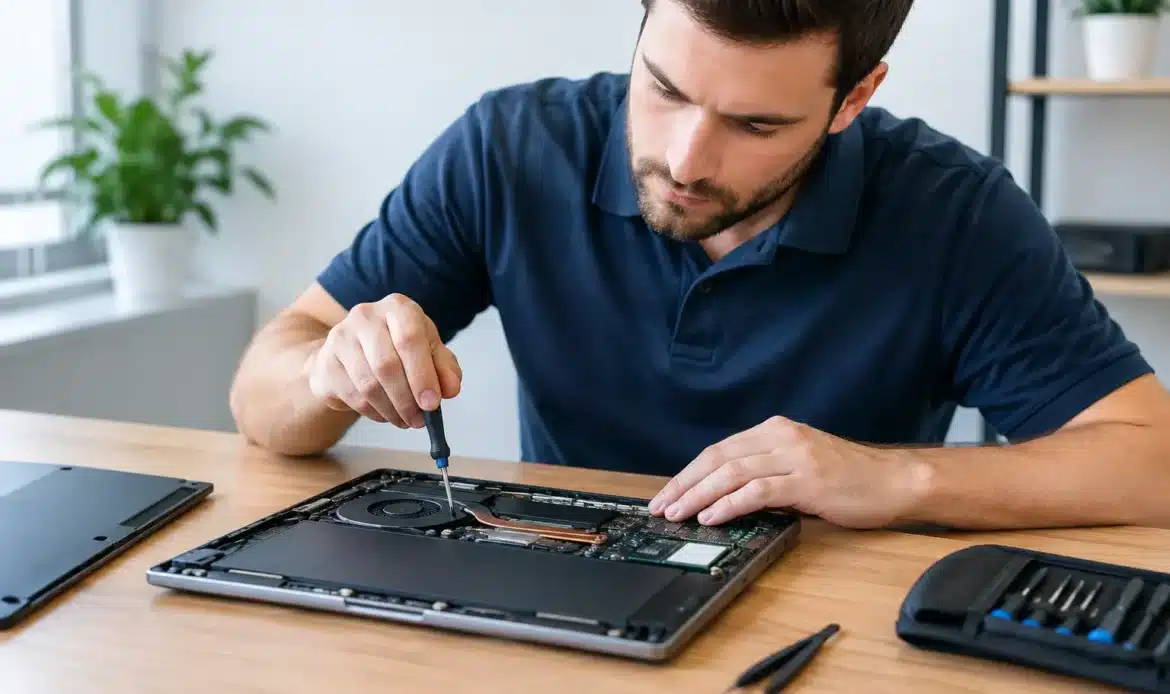
A laptop problem rarely arrives at a convenient time. It might be the screen going black before an assignment is due, a Windows update that will not finish, or a machine that has become so slow it makes everyday jobs frustrating. For reliable blackwood laptop repairs, the best first step is working out whether the issue is software, hardware or the connection around it – then choosing a repair that genuinely suits how you use the computer.
Southern Computer Services SA provides practical support for home users and small businesses in Blackwood and across southern Adelaide. The aim is straightforward: explain the fault clearly, offer sensible options and get your laptop working properly again without unnecessary jargon or pressure.
What a laptop fault can look like
Not every fault produces an obvious error message. A laptop that starts slowly, freezes while browsing, loses its Wi-Fi connection or runs hot may still turn on, but it is telling you something needs attention. Leaving it too long can turn a manageable problem into lost files, a failed drive or a computer that can no longer be relied on for work or study.
Some of the most common jobs involve slow performance, unwanted pop-ups, email problems, charging faults, damaged screens, keyboard issues and Windows errors. Internet trouble can also look like a laptop fault when the real cause is a modem, router, weak Wi-Fi coverage or an incorrect setting.
That is why diagnosis matters. Replacing parts before checking the underlying cause can waste money. Equally, repeatedly restarting a laptop with a failing storage drive can make data recovery harder. A proper assessment identifies what has gone wrong and whether repair, an upgrade or replacement is the more worthwhile option.
Blackwood laptop repairs for everyday problems
Slow laptops and Windows issues
A slow laptop is not always an old laptop. Too many start-up programs, low free storage, malware, failed updates and a worn hard drive can all affect speed. In many cases, cleaning up Windows, removing unwanted software and fitting a suitable solid-state drive can make a noticeable difference to daily use.
Windows errors need a measured approach. A repair may involve correcting damaged system files, resolving a driver problem or carrying out a reinstall where the installation is beyond practical repair. Before a reinstall, it is important to check what files need to be kept and whether they can be backed up safely.
For laptops that cannot move to Windows 11, the decision is less about forcing an upgrade and more about the computer’s condition and your needs. If the machine is otherwise reliable, an upgrade may be sensible. If it has several ageing components and is already struggling, putting more money into it may not offer good value. Honest advice should include both possibilities.
Malware, pop-ups and suspicious activity
If your browser opens strange pages, security warnings keep appearing or the laptop is behaving differently after a suspicious email attachment, do not enter passwords or banking details until the system has been checked. Malware can affect performance, privacy and access to online accounts.
Virus and spyware removal is more than deleting a visible pop-up. The laptop needs to be checked for unwanted programs, browser changes and hidden items that could return after a restart. Once it is clean, it is also worth reviewing passwords, software updates and backup arrangements. Prevention does not need to be complicated, but it does need to be practical enough to keep using.
Screen, keyboard, battery and charging faults
Physical faults often have clear symptoms: lines on the display, a cracked screen, keys that no longer respond, a loose charging port or a battery that barely holds charge. These can often be repaired, subject to parts availability and the overall age of the laptop.
There are trade-offs. A screen replacement can be very worthwhile on a good-quality laptop that meets your needs. On an older budget model with a weak battery, damaged hinges and limited performance, the total repair cost may be better put towards a replacement computer. The right answer depends on the specific device, not a one-size-fits-all rule.
Data recovery and backups
A laptop that will not boot does not automatically mean your documents and photos are gone. Files may still be recoverable from the storage drive, particularly if the problem is a Windows fault rather than a complete drive failure. However, continued use can make recovery more difficult, especially if you hear clicking sounds, see repeated error messages or the system asks to format a drive.
Switch the laptop off if you suspect a failing drive and seek help promptly. A recovery attempt should focus on protecting the data first, then deciding whether the computer itself is worth repairing. Once important files are recovered, setting up a simple backup routine provides far more protection than hoping a drive will last forever.
Support that fits your situation
Laptop repairs should not require you to become the technician. Some issues are best handled on-site, particularly when the fault involves Wi-Fi, printers, email or several devices in a home office. Others can be resolved through remote support, which can be a convenient option for software settings and straightforward troubleshooting.
For jobs that need more time or parts, pick-up-and-return servicing can save you the trouble of transporting a problematic laptop. This is especially useful when the machine is unreliable, the screen is damaged or the issue needs testing away from the home or office.
Southern Computer Services SA offers an upfront rate of $139 for up to one hour of on-site support, seven days a week, with no call-out fee. Standard services such as Windows reinstalls, backups and insurance assessments can also be discussed as fixed-rate jobs where appropriate. Knowing the likely cost and scope before work begins makes it easier to make a sensible decision.
Before you arrange a repair
A little preparation can help the repair process move faster. If the laptop still starts, make a note of error messages, when the fault began and anything that happened just before it appeared, such as an update, a drop or a new program. Have the charger available too, as charging behaviour can be part of the diagnosis.
If you can safely access your files, avoid moving or deleting large amounts of data when the laptop is unstable. Do not try random repair programs from search results or allow unexpected callers remote access to the computer. Those actions can complicate the original problem and, in some cases, create a security risk.
For small businesses, it also helps to identify what is affected beyond the laptop itself. An email problem may involve multiple accounts, a network issue may affect shared files and a replacement laptop may need business software and printers set up correctly. Looking at the whole working setup avoids fixing one symptom while another remains.
When replacing a laptop makes more sense
Repair is often the sensible choice, particularly for a relatively recent laptop with a single clear fault. But there is a point where spending on repairs is no longer good value. Repeated breakdowns, unsupported software, poor battery life, limited storage and low performance can add up.
If replacement is the better path, the important thing is not simply buying the cheapest option. Consider what the laptop needs to do over the next few years: everyday browsing and email, schoolwork, bookkeeping, video calls, creative work or business applications. Transferring files, setting up email, connecting printers and ensuring backups are in place are just as important as the new machine itself.
A laptop does not need to be perfect to be useful, but it should be dependable enough for the jobs that matter to you. Whether the fix is a clean-up, an upgrade, a replacement part or a careful data recovery, getting clear advice early can turn a stressful computer problem into a manageable one.

