


Advantages of Windows 11 over Windows 10
An Executive Overview by Southern Computer Services SA
Windows 10 has served South Australian homes and businesses well for nearly a decade, but Microsoft’s new flagship—Windows 11—offers a fresh foundation designed for hybrid work, stronger security, and richer experiences. Below is a concise review of the key advantages of Windows 11 over Windows 10 and how Southern Computer Services SA can help you unlock them.
1. A Cleaner, More Productive Interface
Windows 10 | Windows 11 |
Left-aligned Start menu, cascading windows | Center-aligned Start menu, Snap Layouts, Snap Groups |
Task View virtual desktops | Desktops with custom wallpapers and app sets |
No integrated widgets panel | One-click Widgets for news, weather, tasks |
• Snap Layouts & Snap Groups
Drag a window to the top-centre of the screen and Windows 11 suggests intelligent layouts—two, three, or four panes—then remembers them when you reconnect a monitor.
• Enhanced Task Switching
Alt + Tab now includes Microsoft Edge tabs, and new “Desktops” keep work, school, and personal life neatly separated.
Result: Less time hunting for windows, more time being productive—ideal for multitaskers and hybrid workers alike.

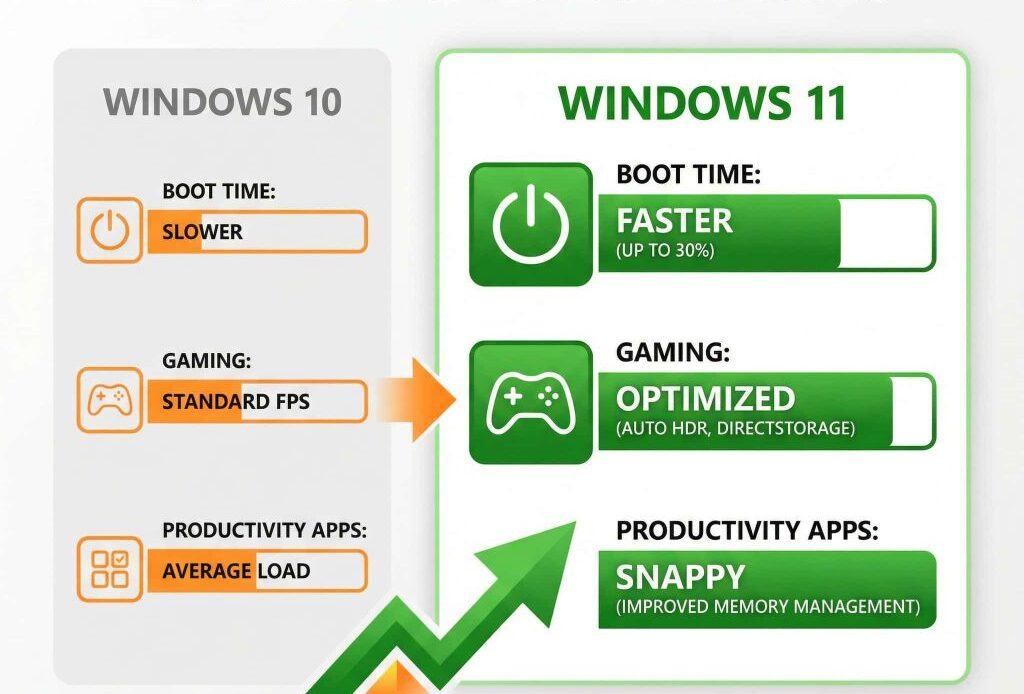
2. Significant Performance Gains
1. Faster Resume from Sleep – Laptops wake up to 25 % faster thanks to optimised memory and power management.
2. Foreground Prioritisation – Apps you’re actively using receive more CPU cycles while background tasks are throttled, translating into snappier response times on mid-range hardware.
3. DirectStorage – Borrowed from Xbox, this technology slashes load times for large games and CAD workflows by letting the GPU fetch data directly from NVMe SSDs.
For businesses: Shorter boot times and smoother multitasking increase employee efficiency; for gamers and designers: markedly reduced load screens.
3. Hardware-Rooted Security by Default
Microsoft made Windows 11 “secure-by-design,” requiring modern CPUs, TPM 2.0 chips and Secure Boot.
• Virtualisation-Based Security (VBS) – Isolates critical processes from the OS, blocking entire classes of malware.
• Windows Hello – Password-free sign-in with facial recognition or fingerprint.
• Pluton and Credential Guard – On supported CPUs, credentials stay encrypted inside the silicon.
Compliance bonus: Native data-protection features help South Australian firms align with Australian Privacy Laws, ISO 27001 and other regulations.
4. Better Collaboration & Hybrid Work
1. Microsoft Teams Chat built-in – Press Windows Key + C to jump into a call; no separate install required.
2. Auto-Framing & Noise Cancellation – On supported hardware, AI cleans audio and centres your video automatically—ideal for remote meetings.
3. Touch, Pen, and Voice – Transcribe speech to text with on-device AI, or sketch naturally with a digital pen; haptics supported on next-gen pens for lifelike feedback.
5. Gaming & Multimedia Advantages
• Auto HDR – Over 1,000 DirectX 11/12 titles gain richer colour on HDR displays.
• Xbox Game Pass & Cloud Gaming – Direct integration makes PCs part of the broader Xbox ecosystem.
• Dynamic Refresh Rate (DRR) – Laptop screens ramp up to 120 Hz for scrolling, then down to save battery.
6. A Revamped Microsoft Store
Developers can now publish Win32, .NET, UWP, PWA and even Android apps (via Amazon Appstore). End-users win with:
• Broader app selection
• Safer curated downloads
• Simpler licence management for IT admins
7. Longer-Term Support & Investment Protection
• Windows 10 reached end-of-support 14 October 2025.
• Windows 11 receives annual feature updates and monthly quality patches to at least 2031.
8. Local Advantages for South Australian Businesses
• Bandwidth-Aware Updates – Delivery Optimisation minimises data costs on capped or metered connections.
• Regional Language Packs & Voice Typing – Improved support for other languages accelerates document creation.
• Time-Zone Autopilot – Travelling staff no longer miss meetings when flying between SA and other Australian states.
9. How Southern Computer Services SA Can Help
1. Readiness Assessment – We audit existing PCs for CPU, TPM 2.0 and firmware compatibility.
2. Data-Safe Migration – Zero-downtime in-place upgrades or side-by-side deployments with rollback options.
3. Training & Adoption – Tailored user workshops covering Snap Layouts, Teams integration, and security hygiene.
Conclusion
Windows 11 is not just “Windows 10 with a facelift.” It’s a re-imagined platform built for the modern, secure, and hybrid world. By upgrading, you gain a more intuitive interface, stronger defences, better performance, enhanced security, and longer support—advantages every South Australian can appreciate.
Ready to move forward?
Contact Southern Computer Services SA on:
• Phone: 0407396188
• Email: enquiry@southerncomputerservices.com.au
Let’s future-proof your IT investment—together.


Still Have Questions?
© 2025 Southern Computer Services SA – Computer & Laptop Repair Specialists

